 Go Back to projects
Go Back to projects
Go Back to projects
Streamlining investment decision management through intelligent workflows and collaborative tools. Five interconnected features that transform scattered, manual processes into structured, visible decision-making.
Financial Analysts and Venture Capital professionals face significant operational friction when evaluating and documenting investment decisions.
Hours spent researching, compiling and writing memos from ad-hoc templates copied deal to deal.
Prospectuses, diligence notes and legal files spread across email, drives and personal folders.
Informal email chains or rigid locked processes with no visibility into where decisions stand.
Tracking status requires checking spreadsheets, emails and asking team members manually.
40-50% of FA and VC time goes to admin tasks instead of strategic analysis.
InvestSphere removes administrative burden and provides structure, visibility and collaboration across the investment decision lifecycle.
Admin templates
RBAC & access
Workflow execution
Document organization
Org designations
Click a feature to jump to its deep dive
Approval Workflow provides structure. User Management enables role-based access. Decision Narrative executes the workflow. Evidence Library organizes documents. Job Titles provide organizational context. Together they transform investment decision-making from scattered and manual into structured, visible and collaborative.
Each feature solves a distinct problem while connecting to the others as part of one coherent platform.
Administrators create reusable decision templates that define stages, responsibilities and actions for any investment evaluation. Standardization without rigidity: new analysts learn the process, committees receive consistent materials and teams can customize templates per deal type.
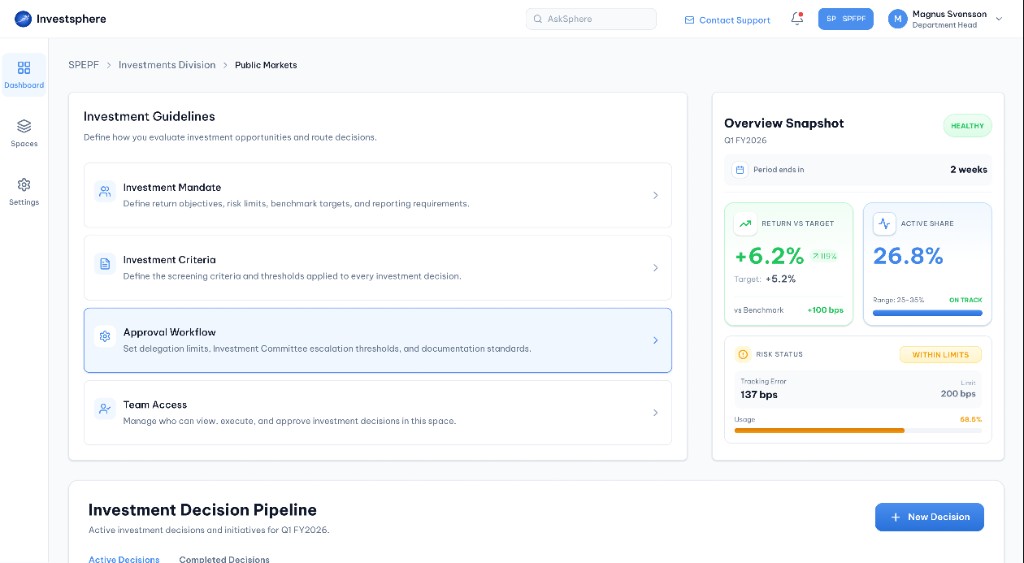
Open Approval Workflow from Investment Guidelines in the Dashboard.
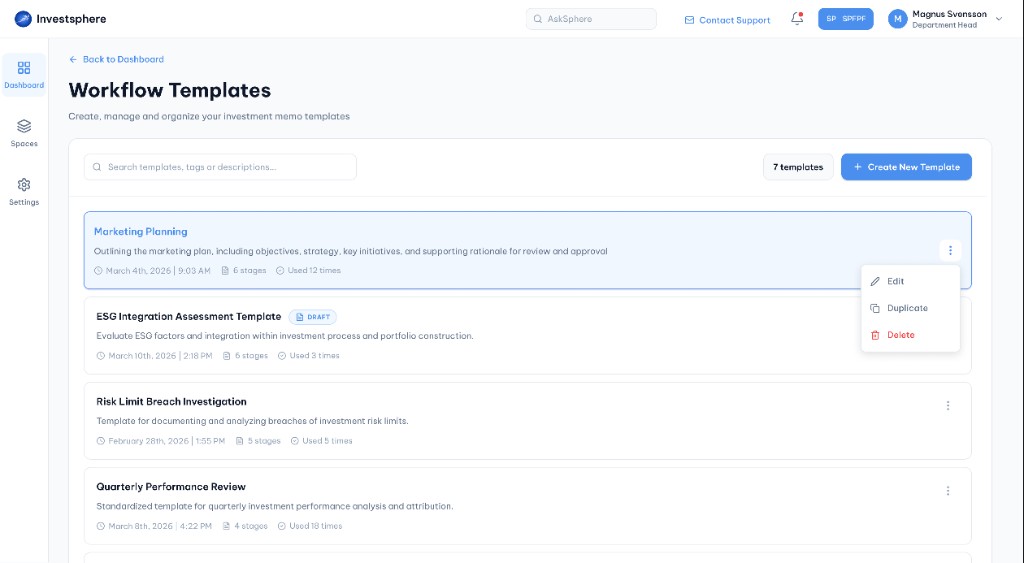
Browse, search and manage all workflow templates in one place.
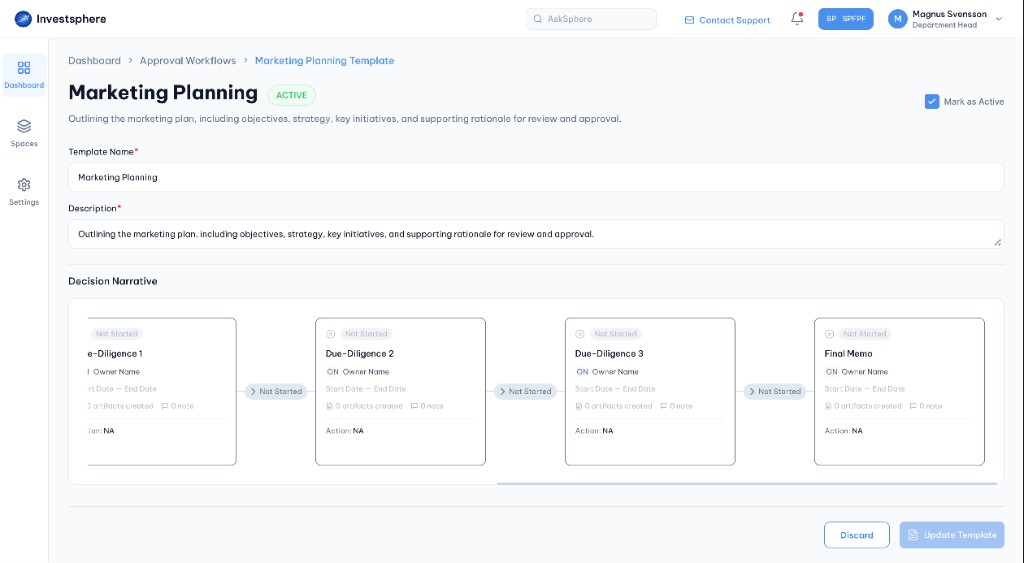
Review an active template with stages, owners and decision narrative.
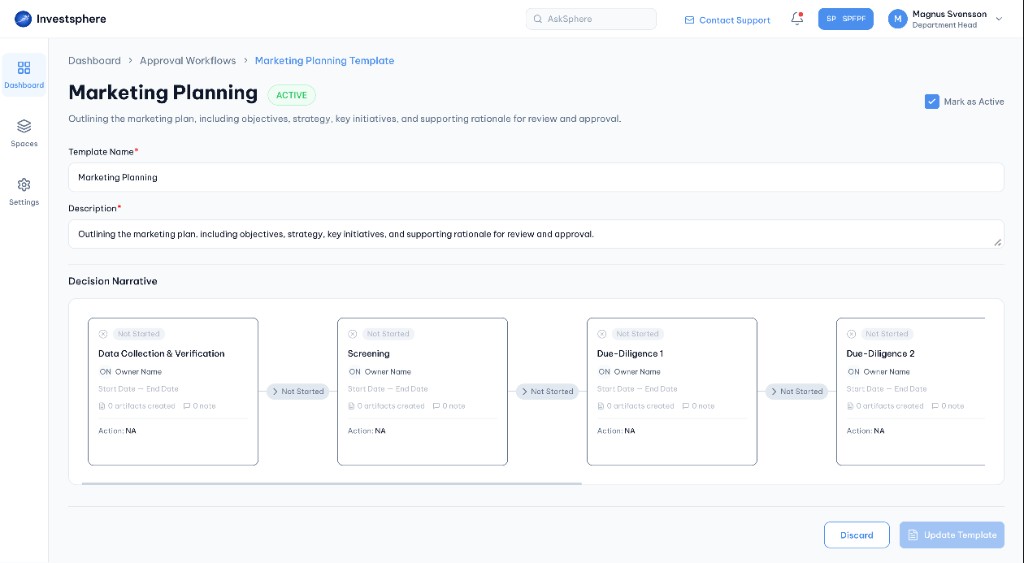
Open a saved template to view its full stage sequence and details.
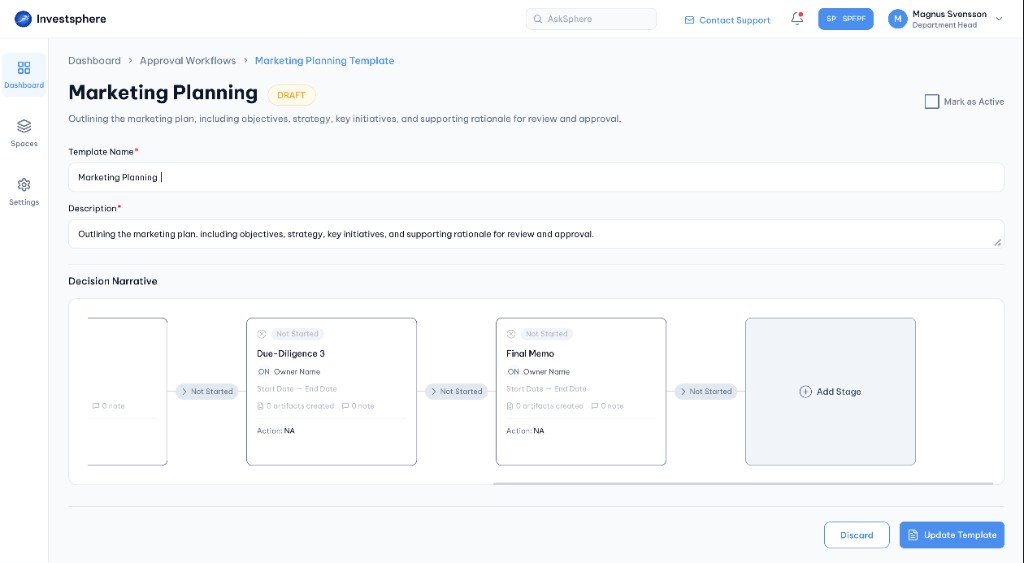
Keep incomplete templates as draft until ready to mark active.
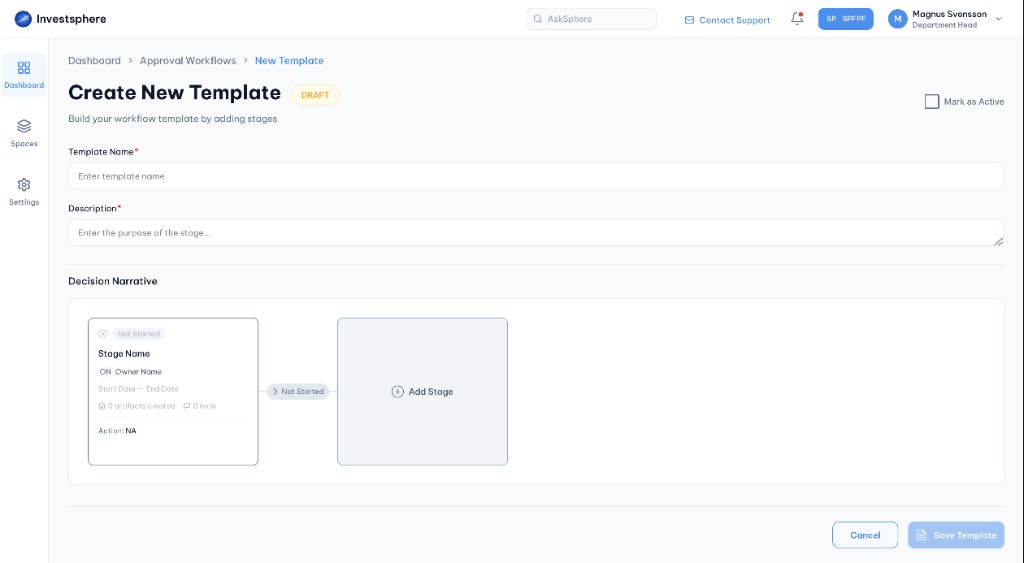
Start a blank template and build stages in the decision narrative.
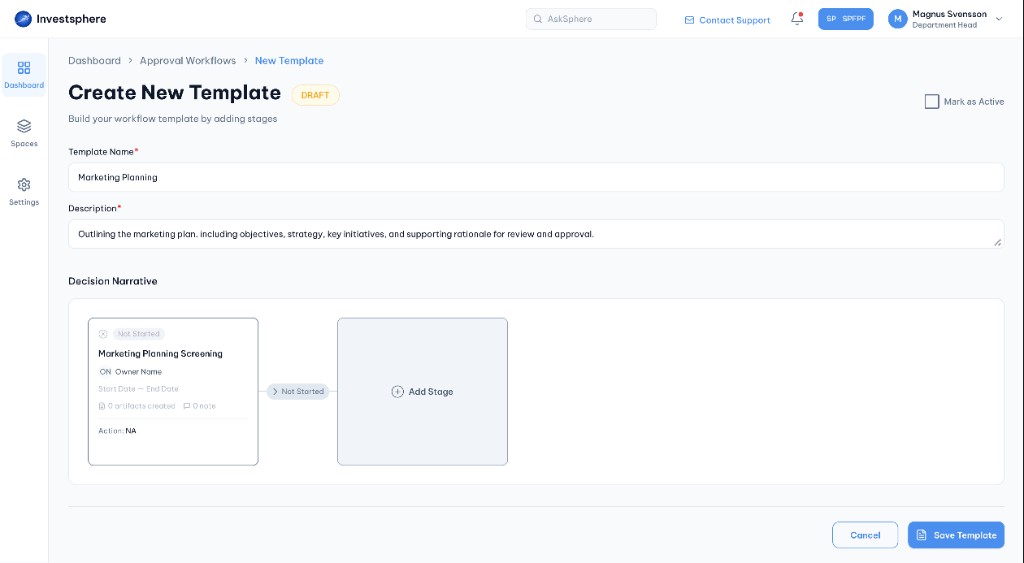
Save the template and continue adding stages to the workflow.
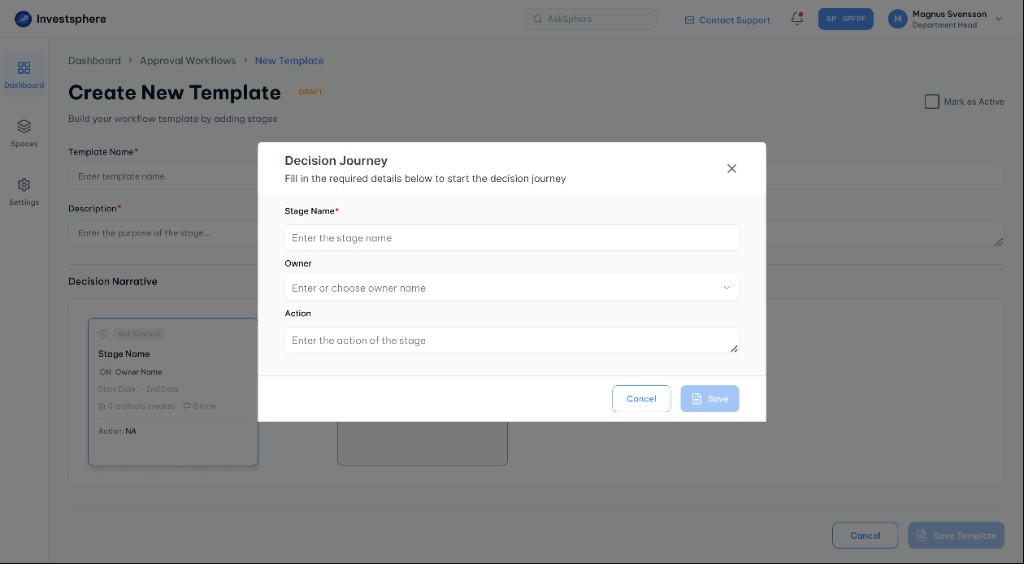
Define stage name, owner and action for each workflow step.
Before: inconsistent processes
After: standardized stages
A centralized hub for managing team members, roles and permissions. Four primary roles with distinct capabilities ensure sensitive decisions are only visible to authorized team members while onboarding and offboarding stay systematic and safe.
| Permission | Space Owner | Space Admin | Contributor | Viewer |
|---|---|---|---|---|
| Invite users | ✓ | — | — | — |
| Change user roles | — | ✓ | — | — |
| Create & edit decisions | ✓ | ✓ | ✓ | — |
| Upload documents | ✓ | ✓ | ✓ | — |
| User Management access | ✓ | ✓ | — | — |
| View decisions & docs | ✓ | ✓ | ✓ | ✓ |
Hover a role column to highlight its permissions
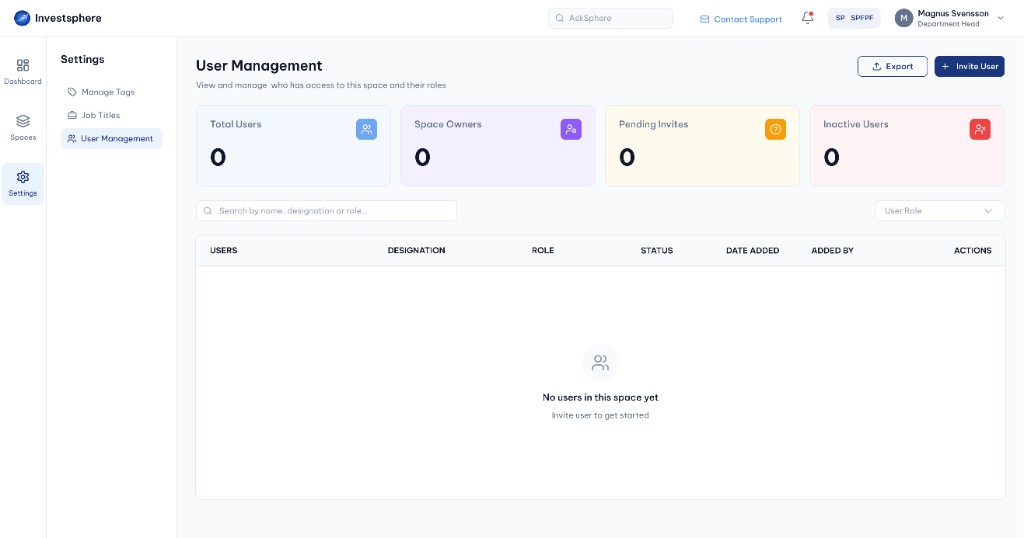
Open User Management from Settings to view space members.
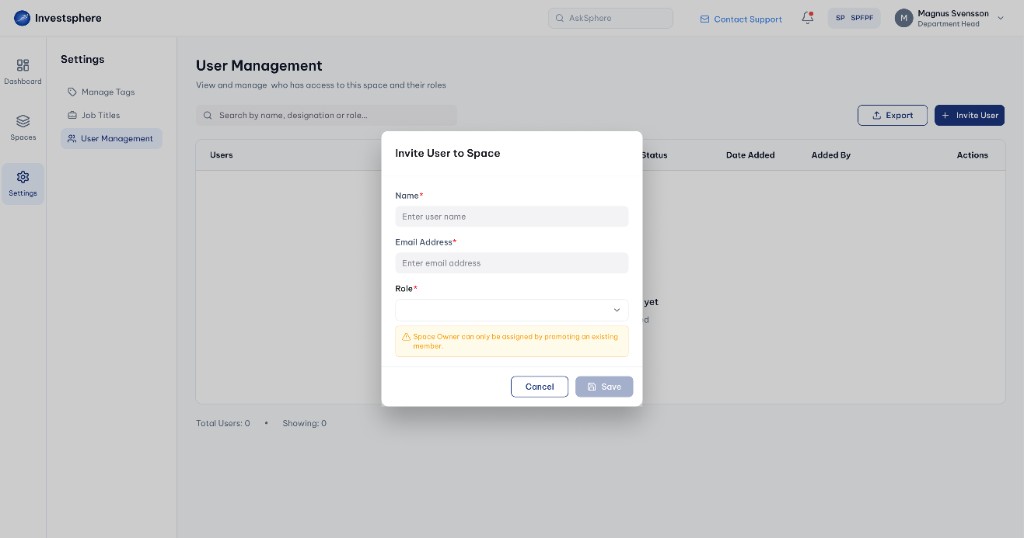
Start inviting a new member to the space.
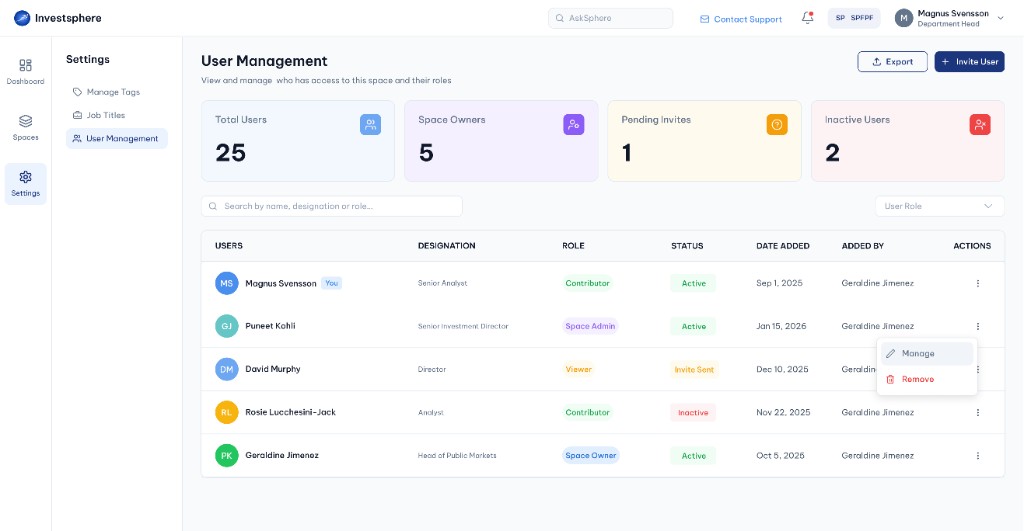
Manage or remove members from the user list actions menu.
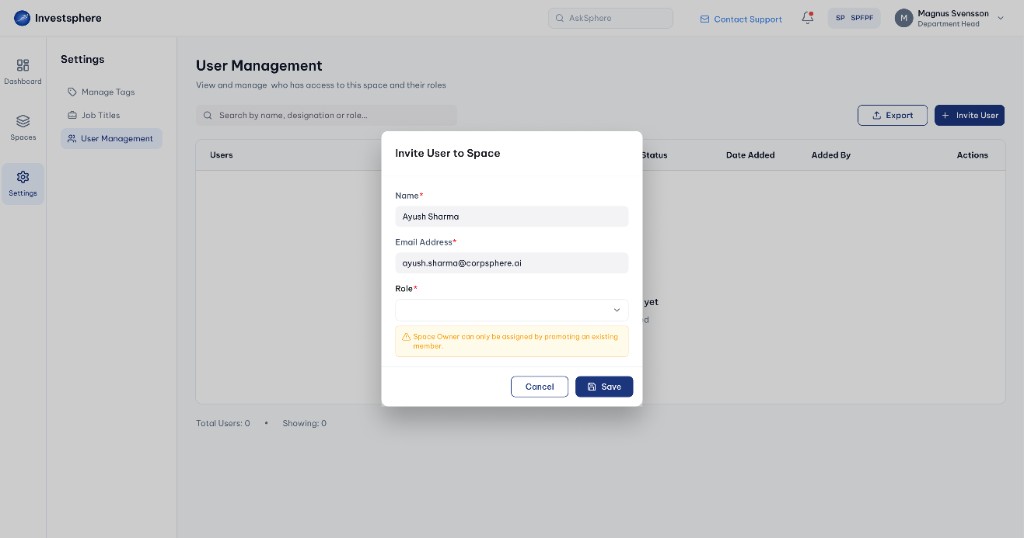
Enter name, email and assign a role for the new user.
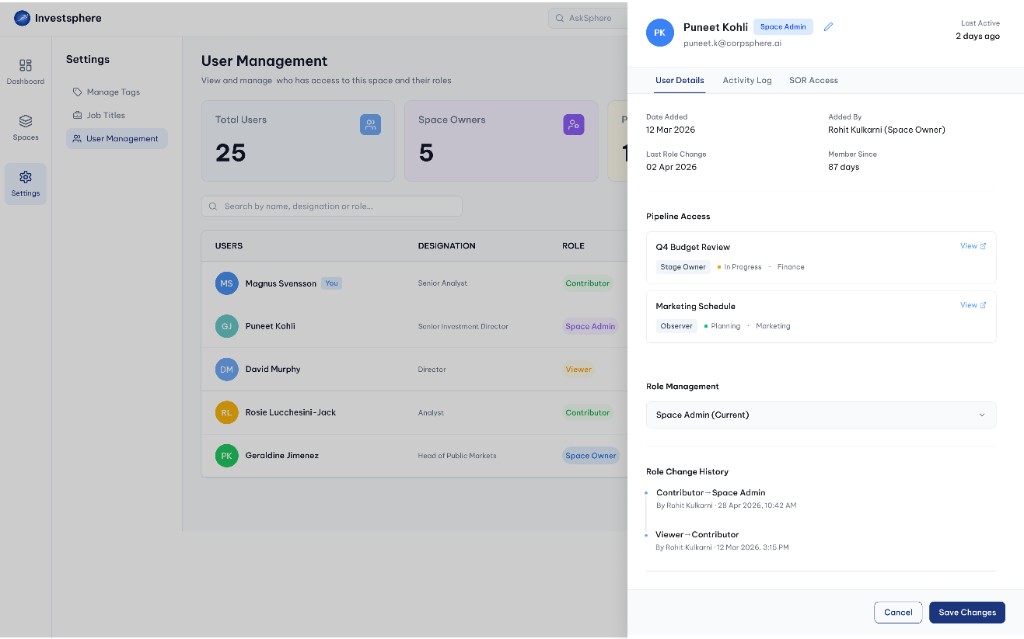
Review role, pipeline access and member history for a user.
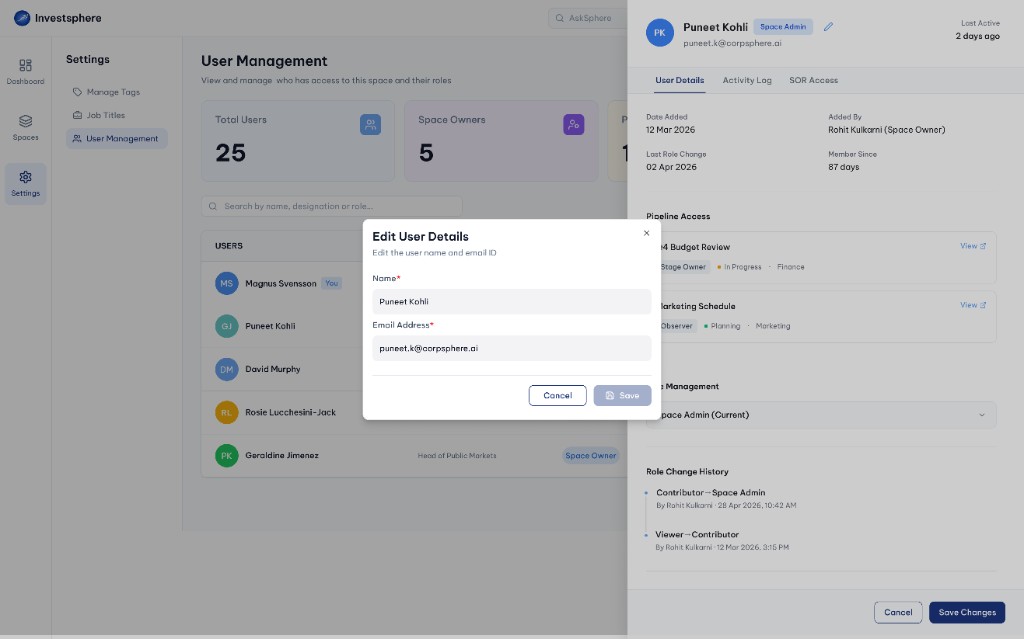
Update a member's name and email from the profile drawer.
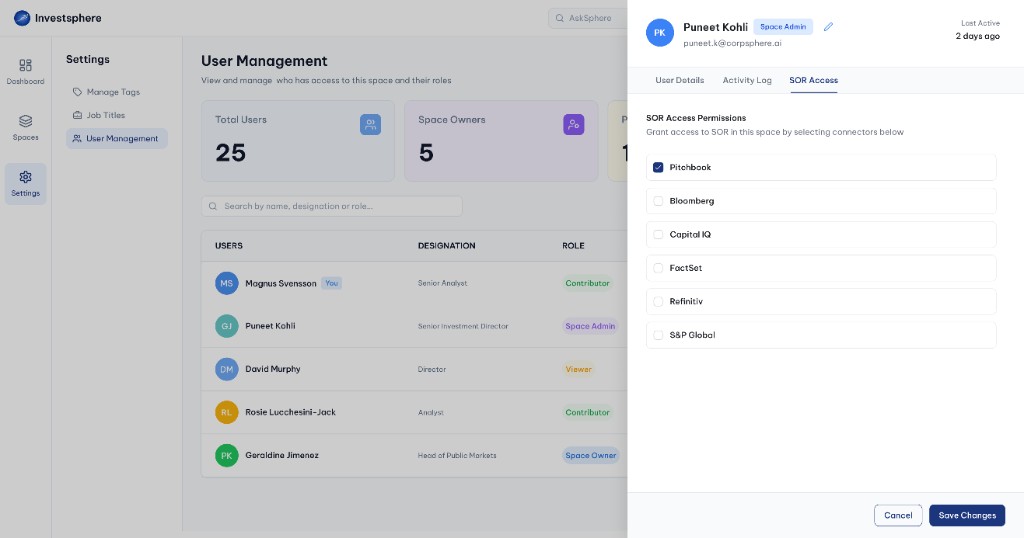
Grant access to research connectors like PitchBook and Bloomberg.
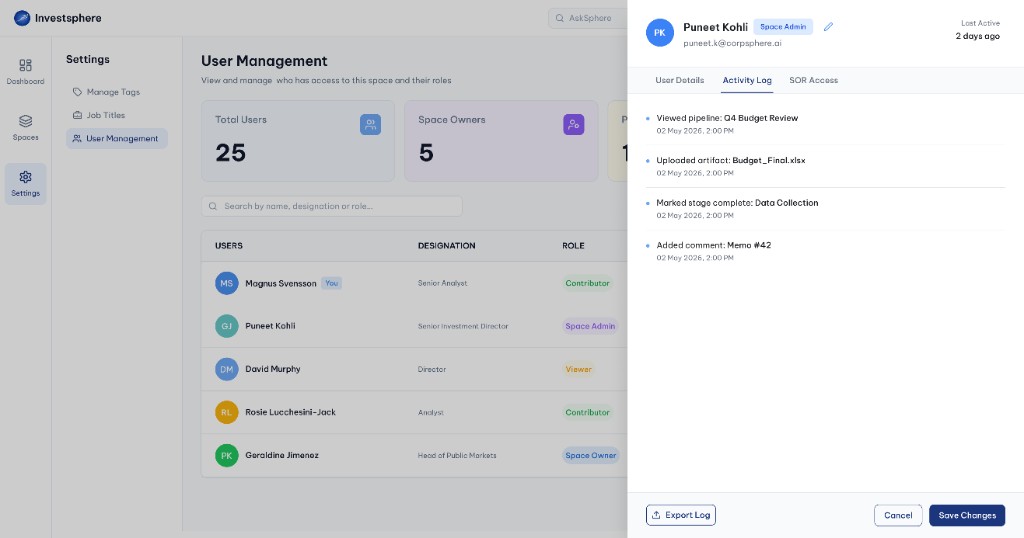
View a chronological audit trail of user actions in the space.
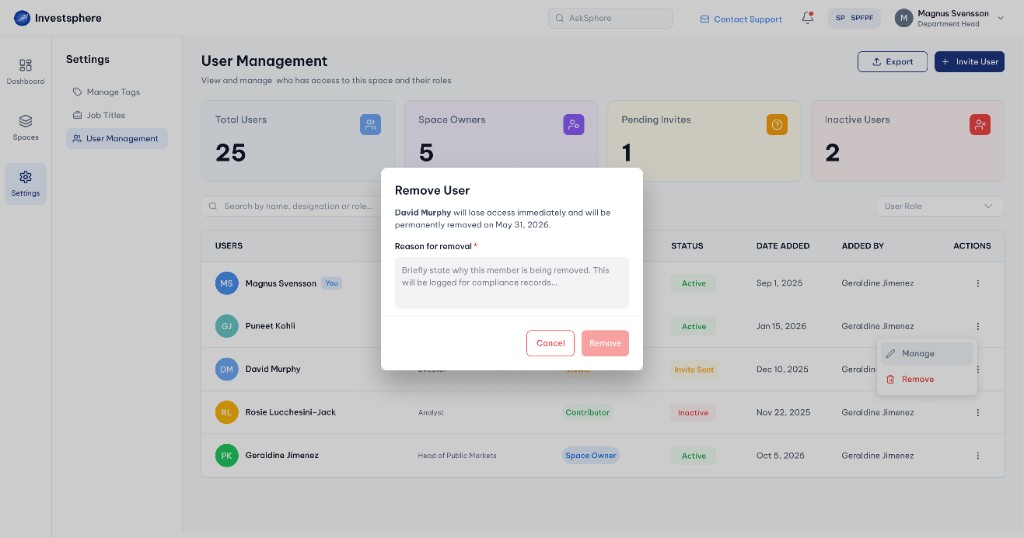
Initiate removal and confirm the member will lose access.
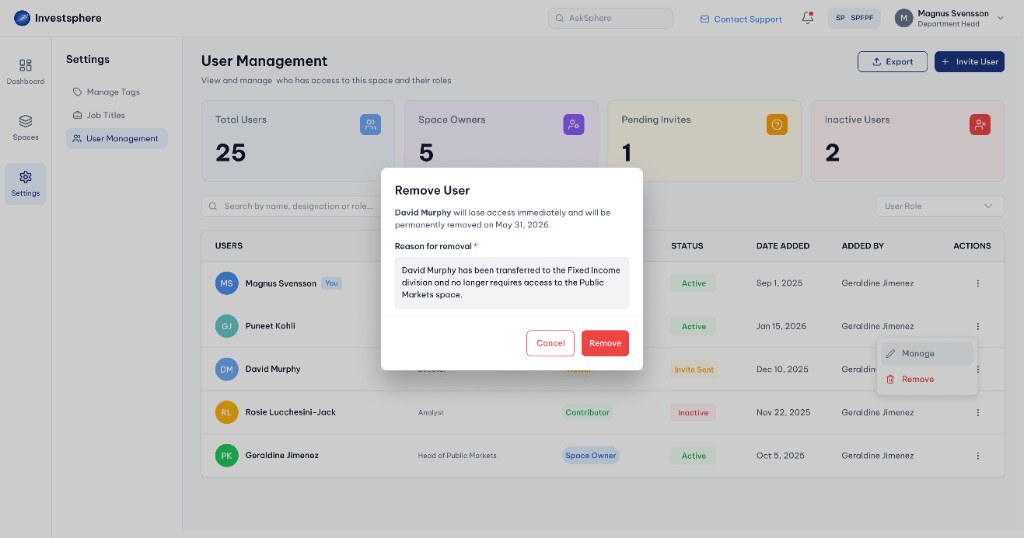
Provide a compliance reason before permanently removing access.
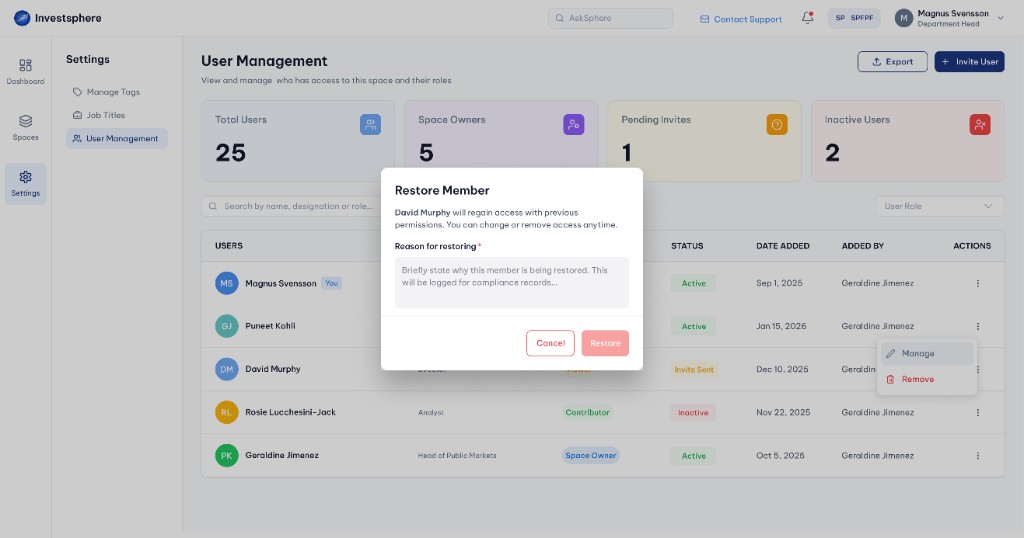
Confirm restoring a removed member with previous permissions.
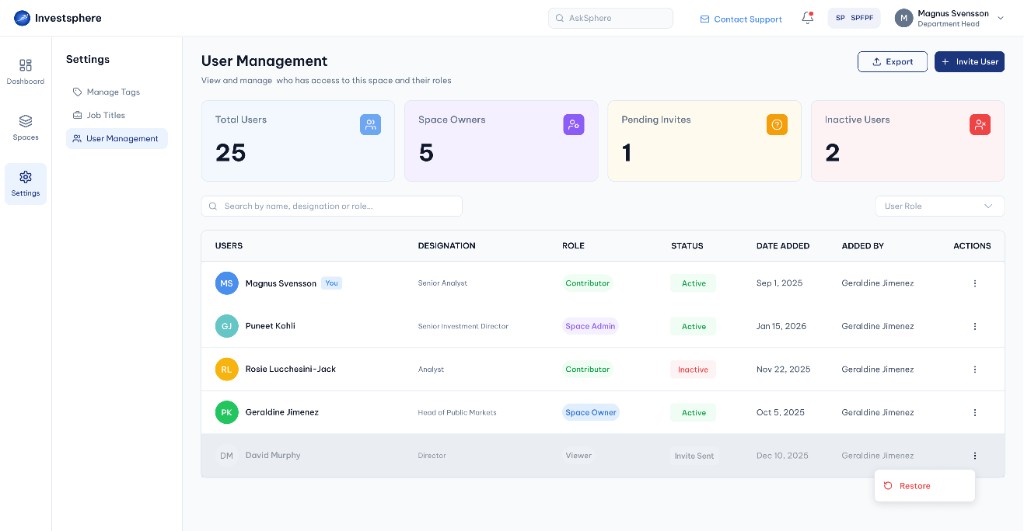
Restore a previously removed member from the actions menu.
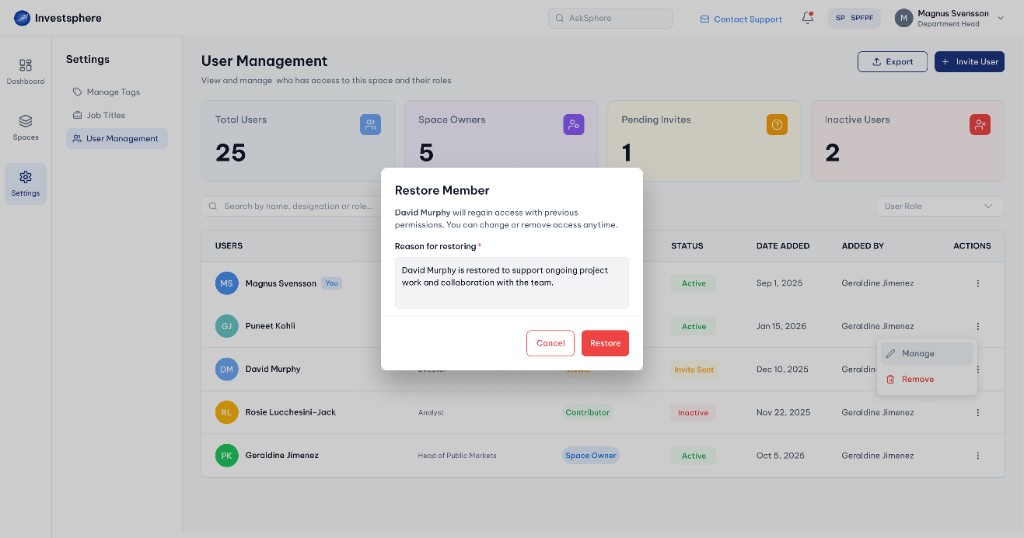
Log a compliance reason when restoring member access.
The core workspace where Financial Analysts execute templated workflows, manage stage progress and track approvals. Sequential stage cards show status, ownership, artifacts and notes with a complete audit trail for every action.
Screening
ApprovedDue Diligence
ReviewLegal Review
In ProgressIC Approval
Not StartedExecution
Not Started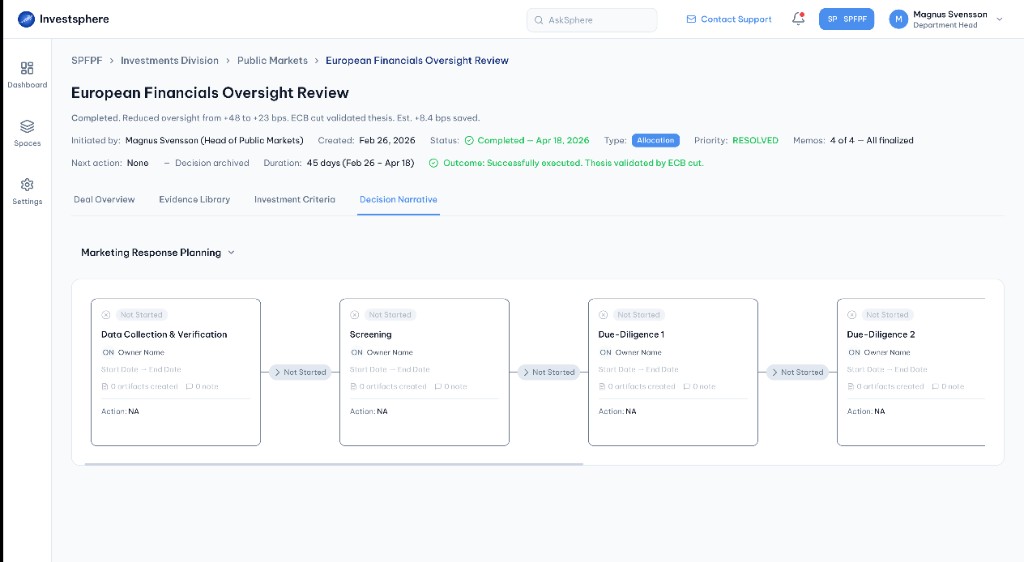
Open the Decision Narrative tab to view the full stage workflow.
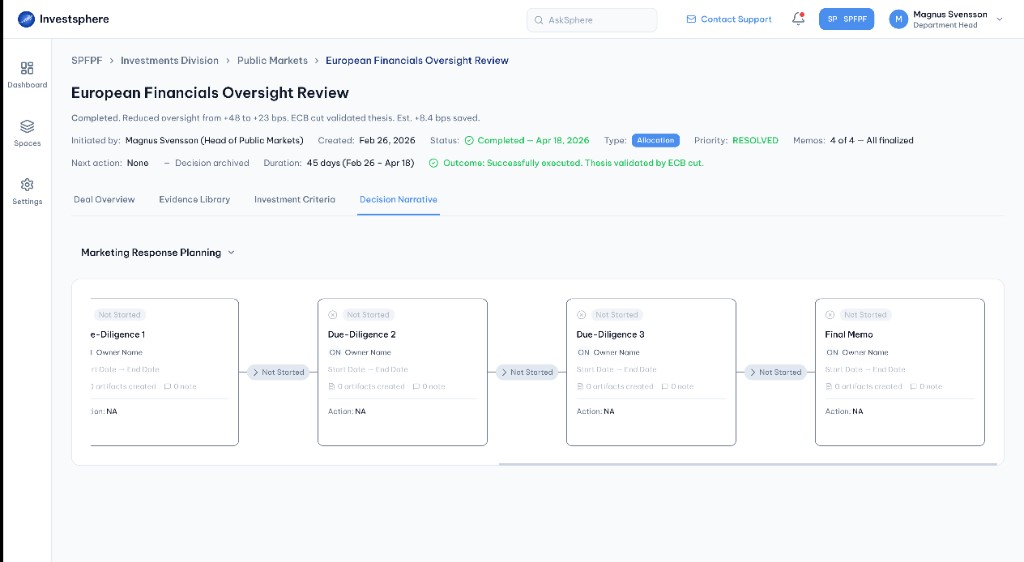
Scroll through sequential stage cards from screening to final memo.
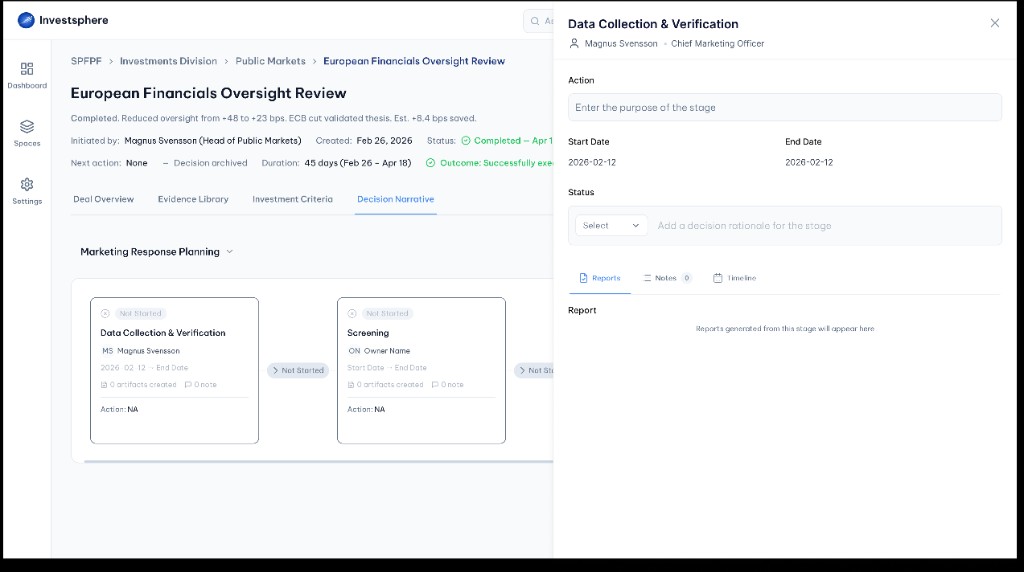
Open a stage to review owner, dates, action and status fields.
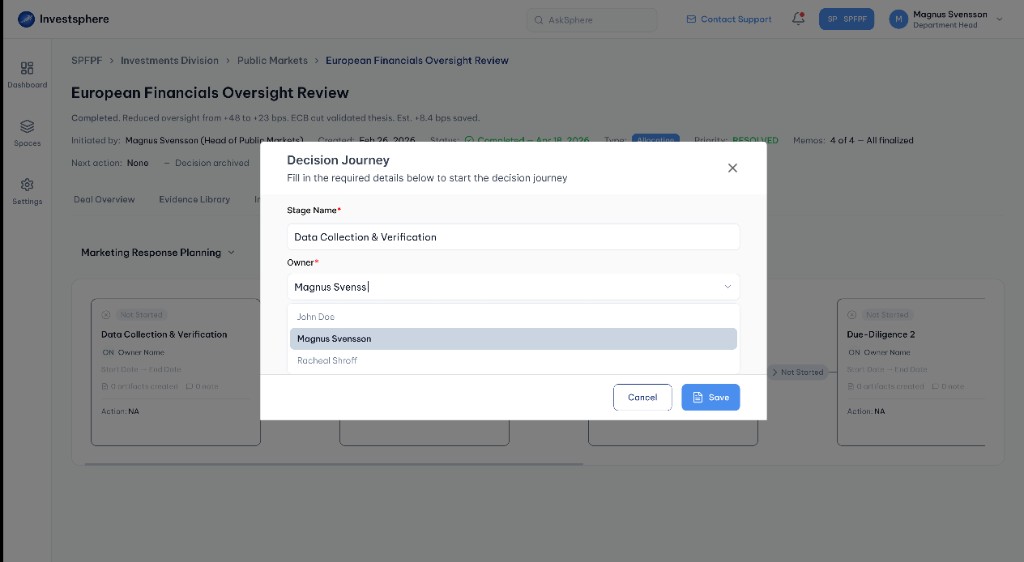
Configure a new stage with name, owner and decision journey details.
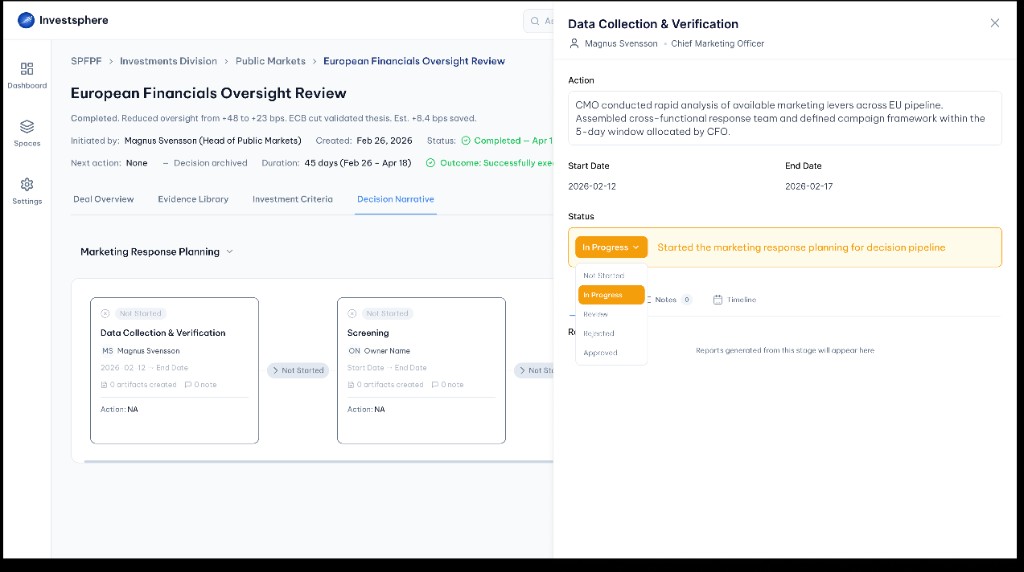
Update stage progress from Not Started through Approved or Rejected.
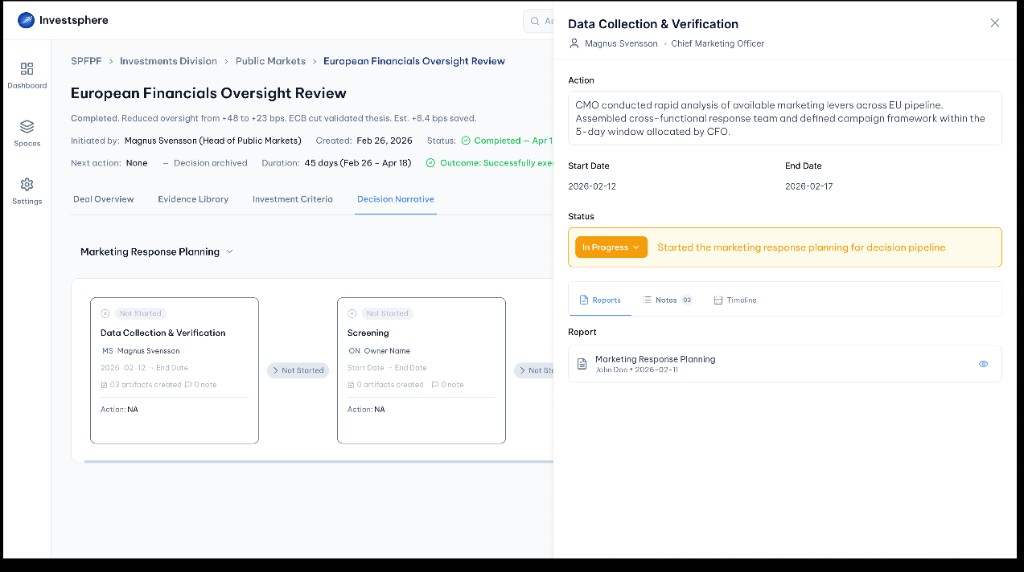
View reports and artifacts generated from the current stage.
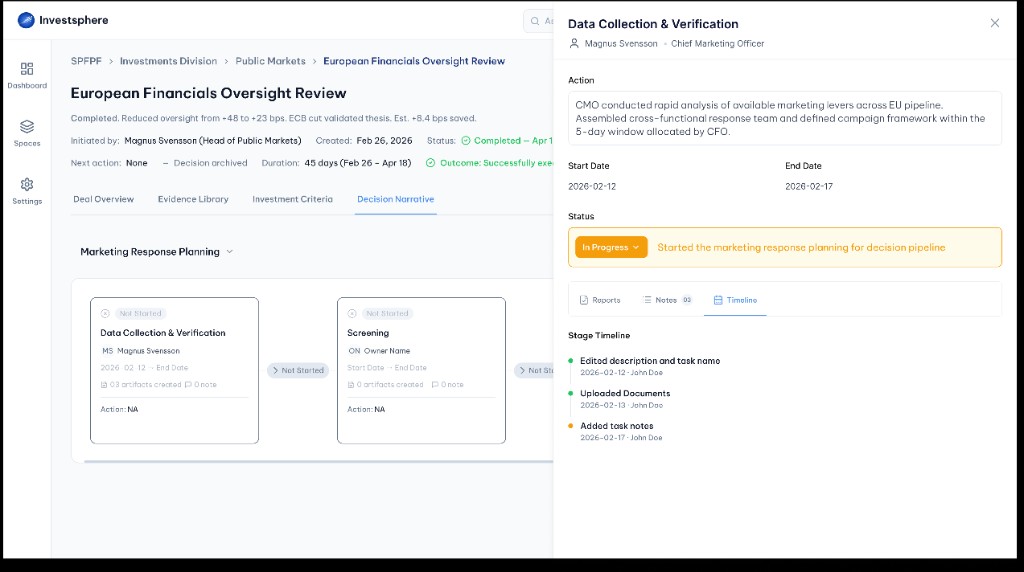
Track every edit, upload and note in a chronological audit trail.
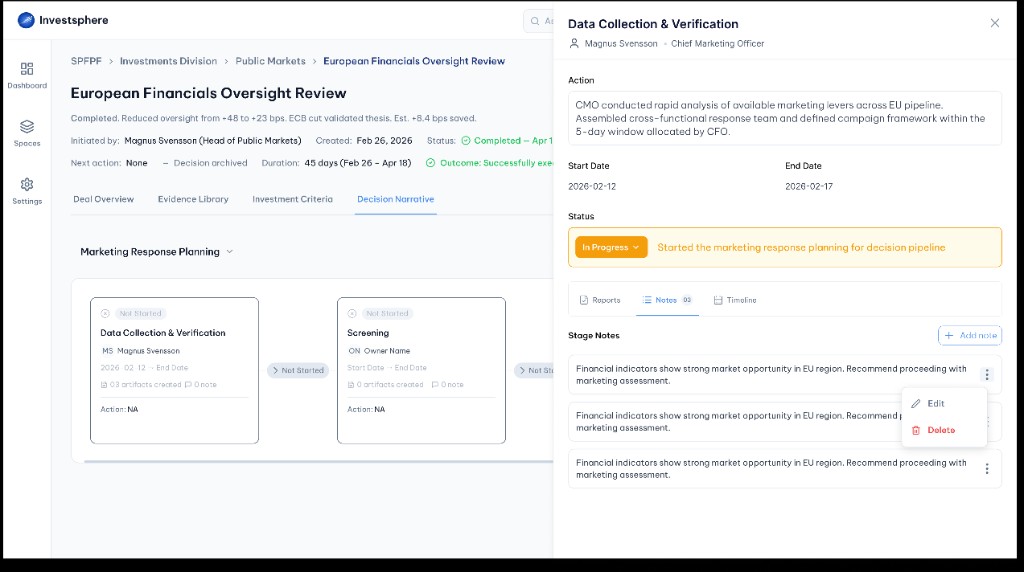
Add, edit or delete stage notes for team collaboration.
Centralized document management organized by decision stage. Folders are auto-generated from workflow stages while General Documents provide reusable reference materials importable into any stage as self-contained copies.
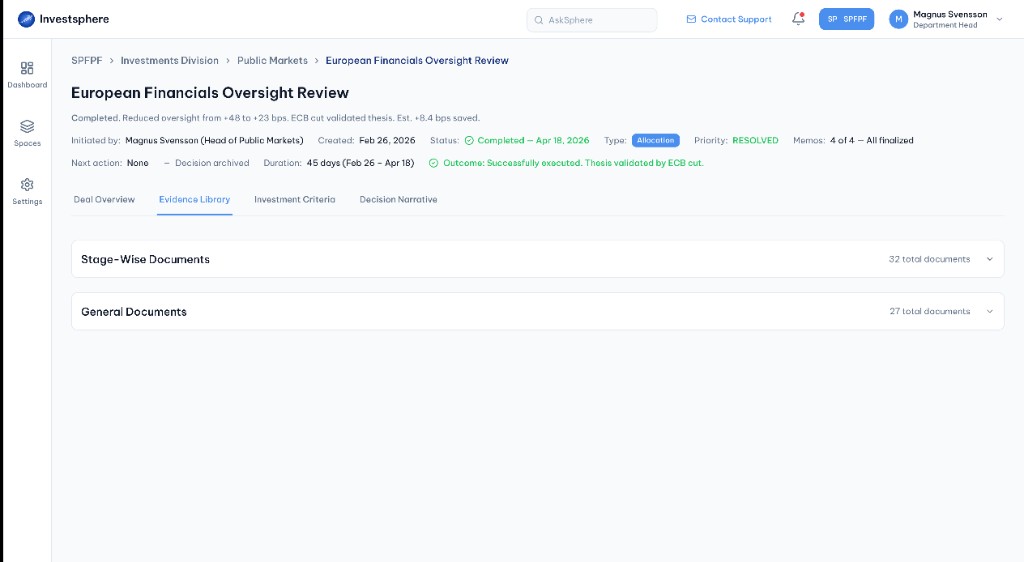
Open the Evidence Library tab to access all decision documents.
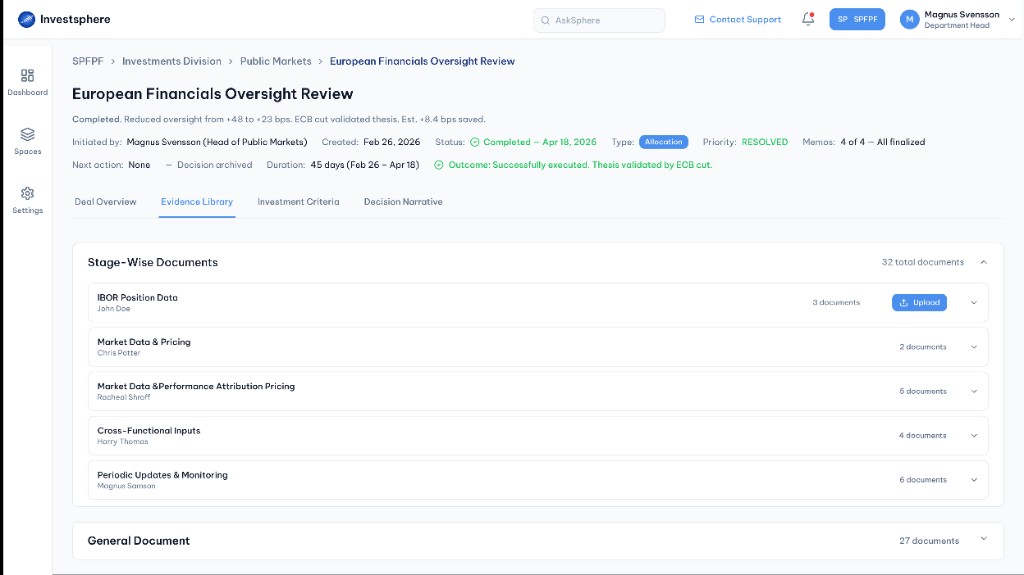
Browse documents organized by workflow stage and owner.
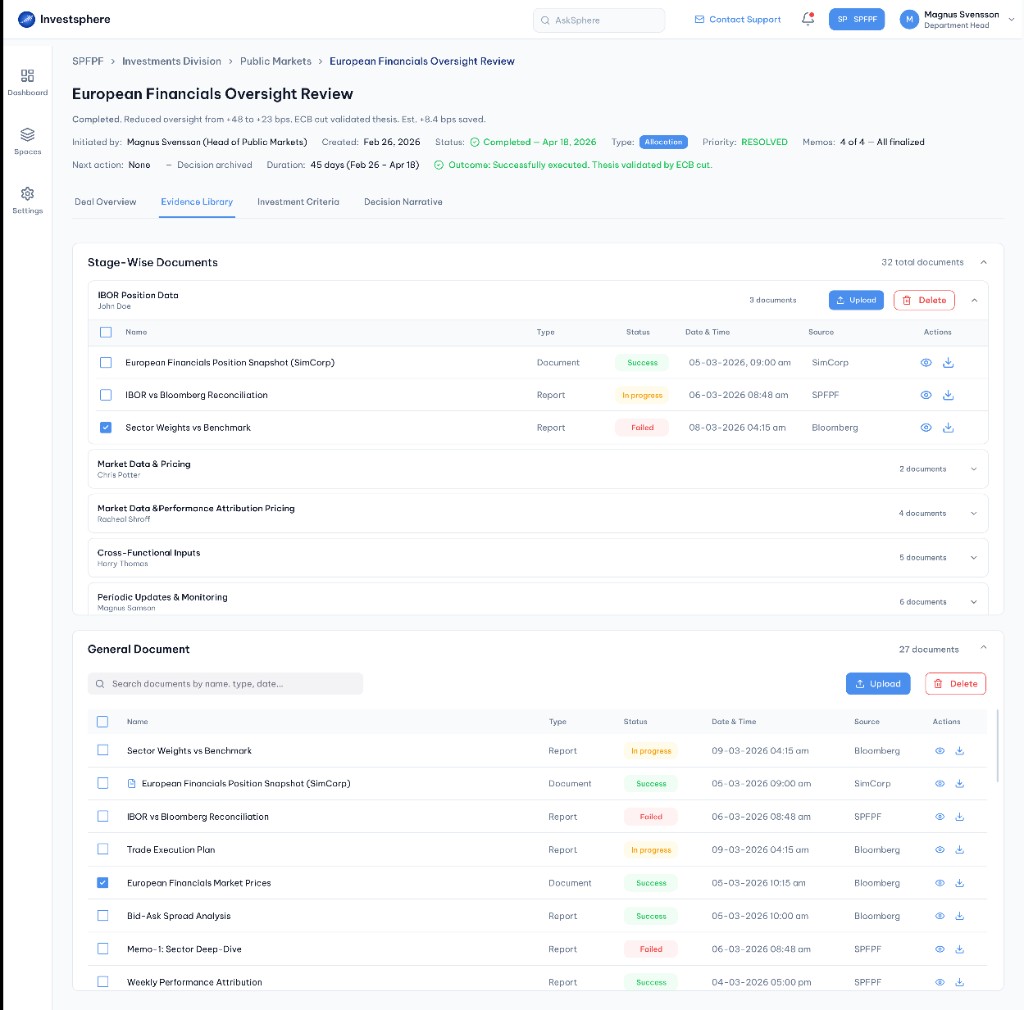
Search and manage reusable documents outside stage folders.
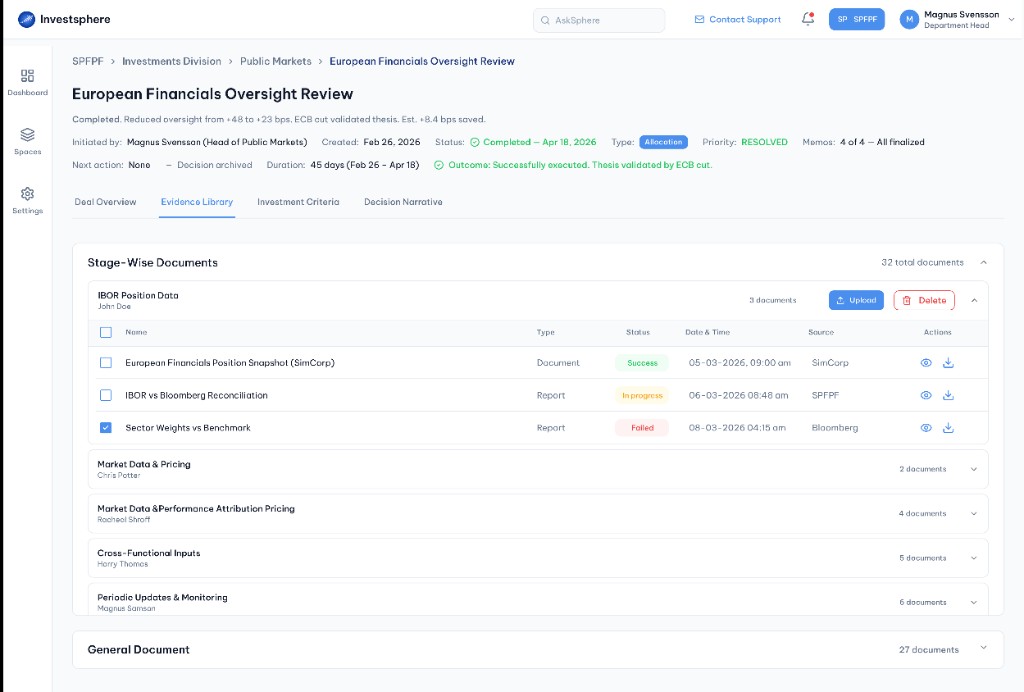
Upload or delete stage documents with status tracking per file.
A centralized registry of organizational designations separate from access roles. Job Titles create shared vocabulary for hierarchy, appear in user lists and provide context when assigning stage ownership.
| Job Title | Description |
|---|---|
| Investment Partner | Leads investment decisions and approves fund allocations |
| Senior Analyst | Conducts due diligence and prepares investment memos |
| Financial Analyst | Supports research, documentation and stage execution |
| Operations Associate | Manages compliance documentation and process coordination |
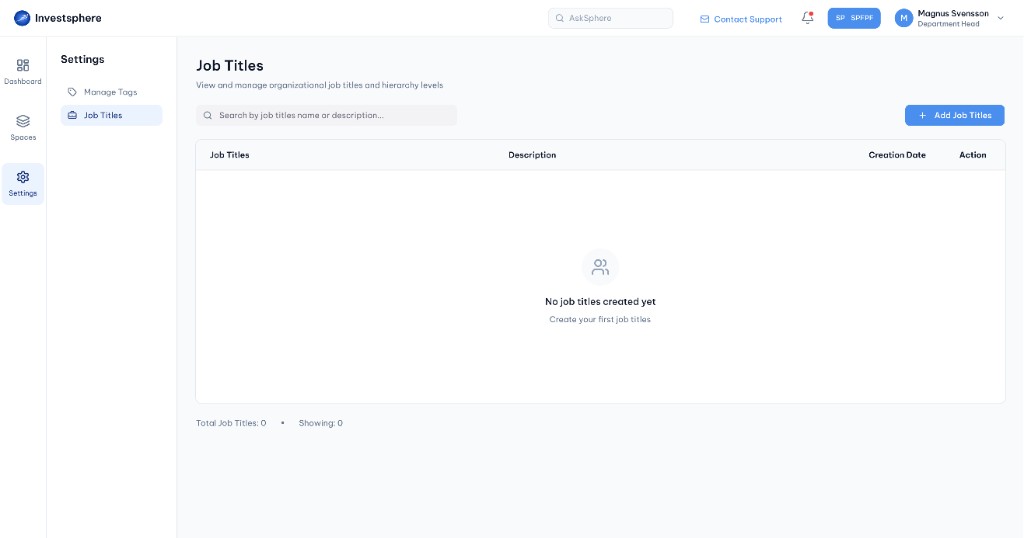
Open Job Titles from Settings to manage organizational designations.
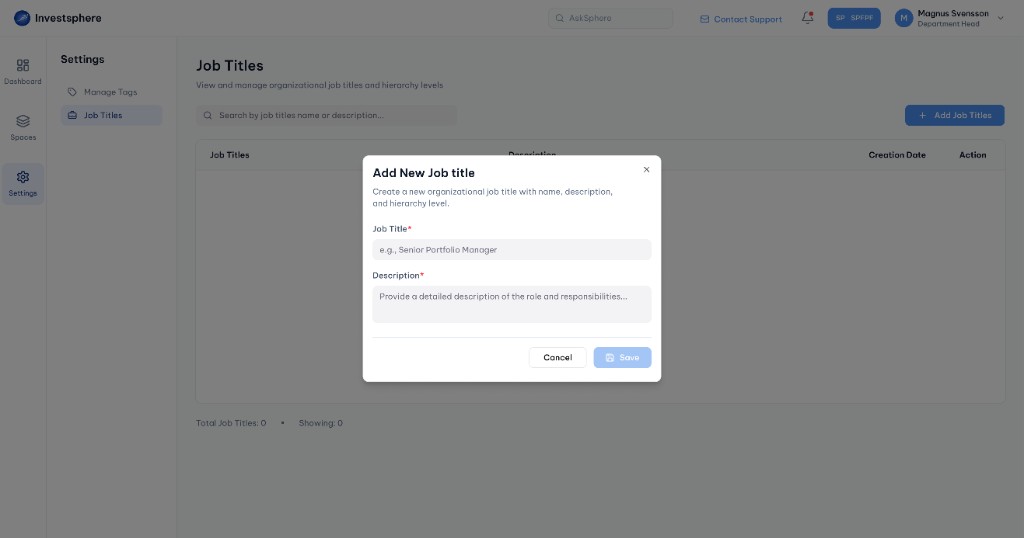
Start creating a new job title with name and description fields.
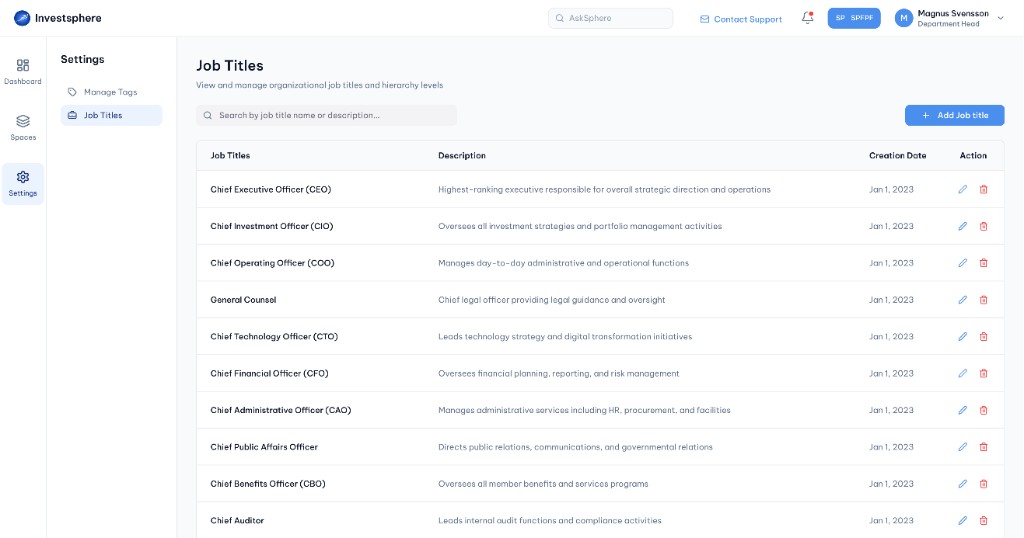
Browse, search, edit or delete all organizational job titles.
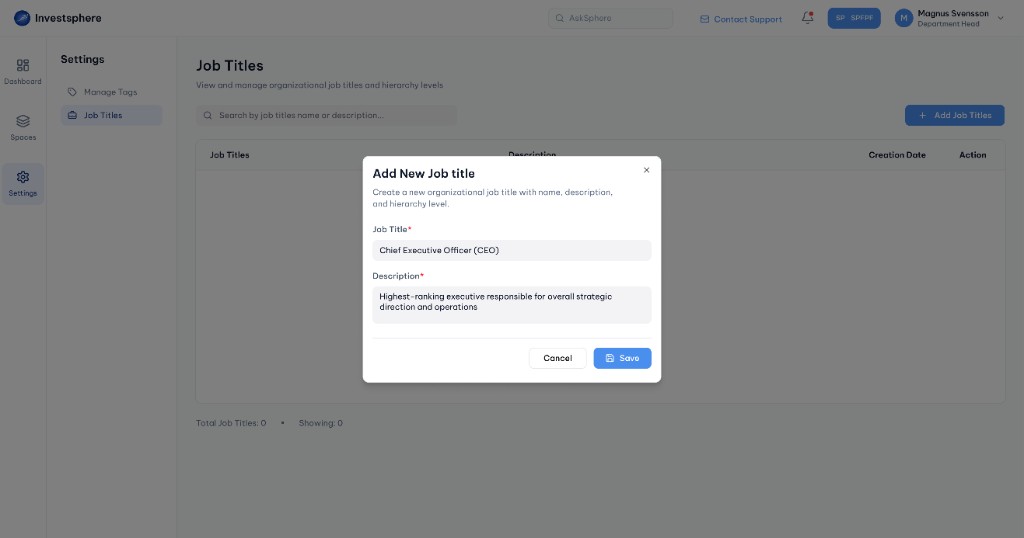
Enter the title name and role description, then save.
The real power emerges when all five features operate as one integrated decision workflow.
Administrators create Approval Workflow templates, configure users and roles in User Management and define Job Titles reflecting the organizational hierarchy.
A Contributor creates a new decision, names the investment and selects an active template. The system generates workflow stages from the template definition.
Stage owners upload research to Evidence Library, add notes and set status to Review when work is complete. Documents stay organized by stage with locked ownership.
Approvers review stage evidence and notes, then approve or reject with feedback. Approved stages unlock the next phase; rejections return work for revision.
Resolved decisions preserve all documentation in Evidence Library organized by stage. Future decisions reference past work; all actions remain in the activity log.
Visual and interaction consistency ensures InvestSphere feels like one cohesive product rather than disconnected modules.
Tested with Financial Analysts and fund managers before launch.
"Seeing the complete workflow from initiation through approval made progress immediately clear."
Decision Narrative Testing
"Stage-wise document organization was useful from day one. I always know where to find relevant files."
Evidence Library Testing
"Role-based access reduced confusion about who could do what. Permissions felt predictable."
User Management Testing
Quantifiable gains in time, quality and organizational learning.
Decrease in administrative tasks (document gathering, tracking)
Decision documents organized by stage in one platform
Complete activity log for every stage action and approval
Before: emails & spreadsheets
After: visible workflows
Design philosophy behind every feature decision.
Clear workflow templates let team members work independently without micromanagement. Structure reduces confusion and empowers confident execution.
Job Titles and Roles align with how organizations actually work, making permissions feel natural rather than imposed.
Stage-based storage makes documents discoverable and meaningful. A file in Legal Review is immediately understood as legal analysis.
Rejection means revision, not failure. Approved stages can be reopened. Approval feels collaborative rather than adversarial.
Activity logs, clear ownership and document provenance are fundamental to the design, not afterthoughts.
InvestSphere transforms investment decision-making from scattered and manual into a structured, visible, collaborative workflow. Five features. One platform. Decisions that scale with the team.