 Go Back to projects
Go Back to projects
Go Back to projects
Helping Limited Partners evaluate funds with more confidence and less manual work. Guided onboarding, document-driven profile auto-fill and AskSphere for answers on demand.
Limited Partners face significant friction evaluating and managing investment funds. Scattered information, manual data entry and overwhelming workflows slow decision-making.
40+ fields across two profiles. Tedious, error-prone and disconnected from documents LPs already have.
Answers scattered across docs and conversations. No conversational interface for quick, confident queries.
Pre- and post-investment paths with unclear steps lead to incomplete submissions and abandoned workflows.
Three complementary features that together simplify the fund investment workflow.
Two of these features are deeply integrated: AI-Auto Fill is embedded within the LP Profile step of Dashboard Onboarding. AskSphere is a standalone conversational interface in the navigation bar, accessible from anywhere in Prism. Together they create a more intuitive investment workflow.
Removes the friction of manual data entry by intelligently populating profile information from documents.
Embedded in Dashboard · Step 1Provides step-by-step guidance through the fund evaluation process, with AI-Auto Fill integrated in LP Profile.
Primary workflowProvides instant answers to investment questions from anywhere in Prism. Optional and available whenever users need help.
Complementary supportAI-Auto Fill and Dashboard are tightly integrated. AskSphere is a separate tool that enhances the entire experience by removing friction around information access.
Each feature solves a distinct pain point. Dashboard and AI-Auto Fill form the primary guided workflow while AskSphere complements the experience from anywhere in Prism.
AI-Auto Fill is not a standalone flow. It lives inside step 1 of Dashboard Onboarding where LPs upload investment documents and populate 40+ profile fields. Manually extracting and typing this information takes 3-4 hours. AI-Auto Fill analyzes documents and maps extracted data to LP Organization and Strategy profiles in minutes.
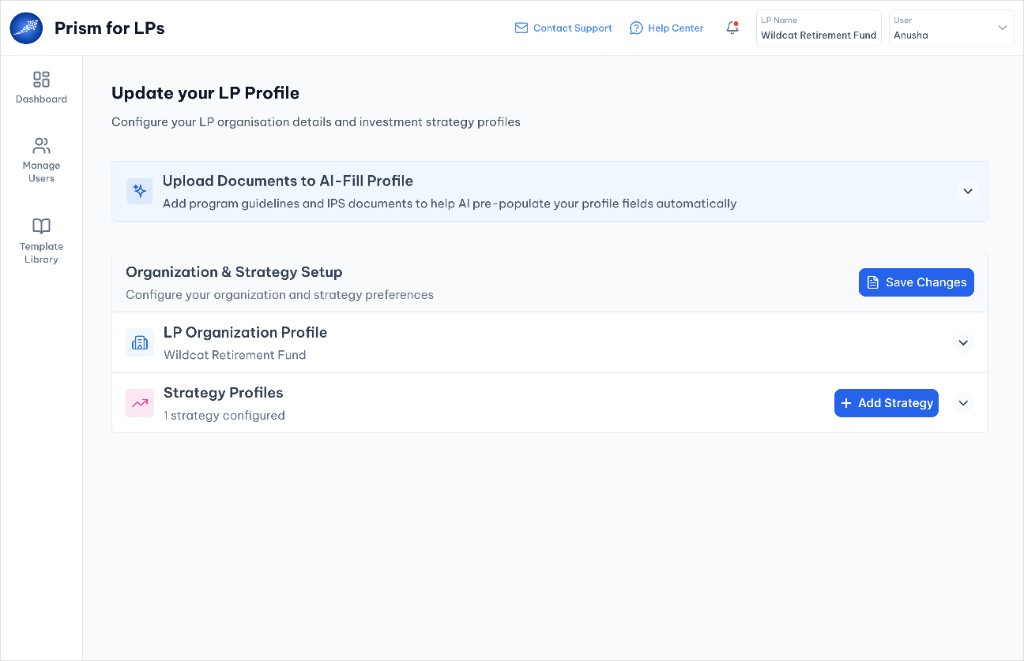
Open the AI-fill panel from the LP Profile step in Dashboard onboarding.
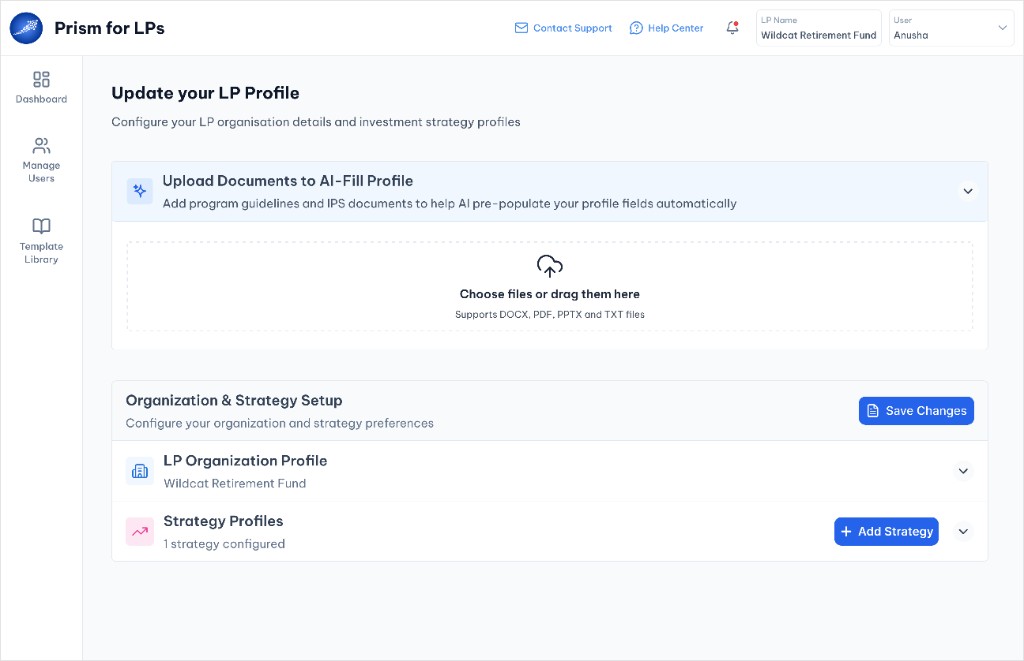
Drag and drop investment theses, IPS documents and strategy memos.
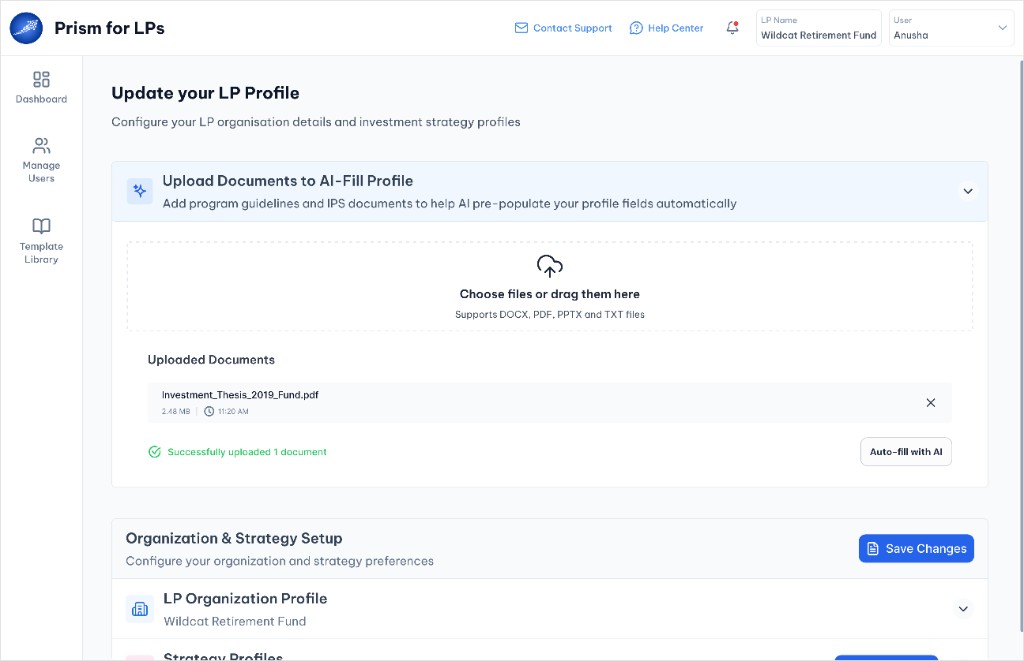
Confirm the upload and trigger Auto-fill with AI to analyze documents.
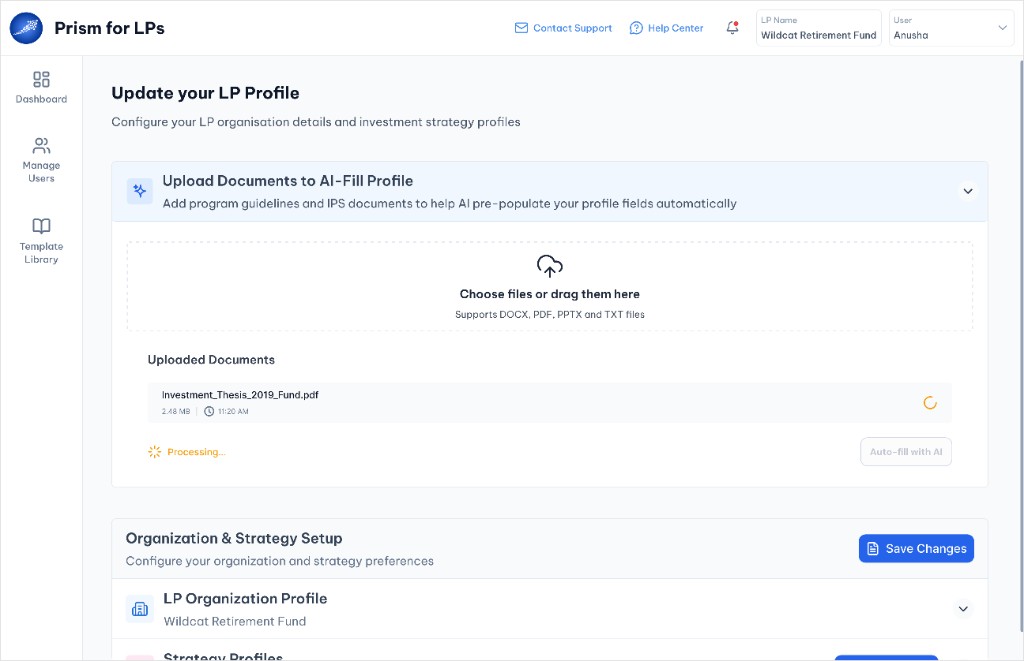
Track document analysis with a clear processing status indicator.
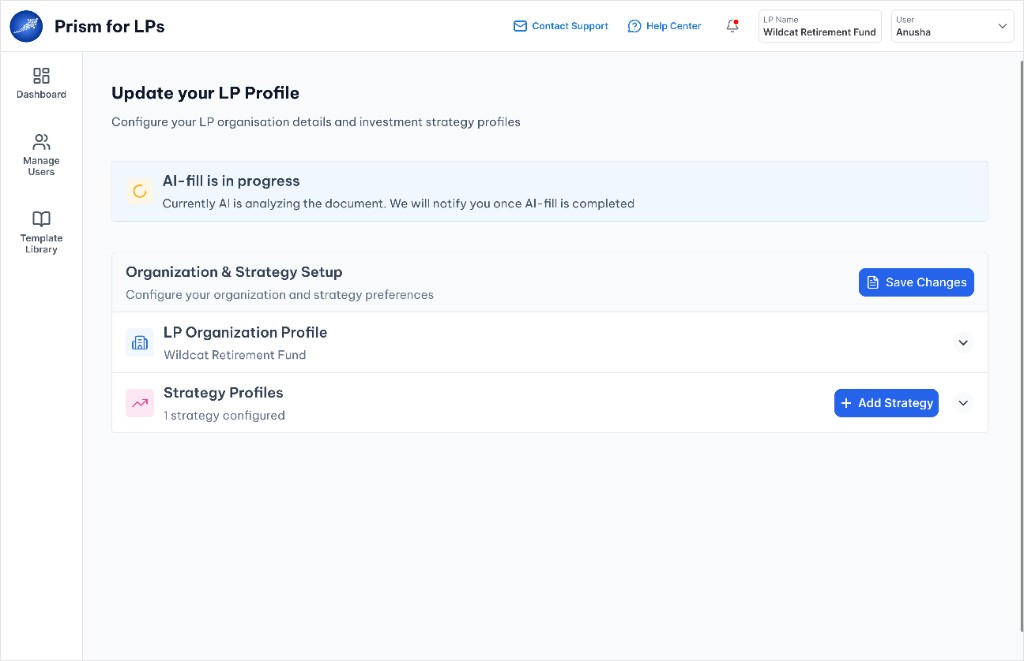
AI analyzes uploaded documents while the profile stays editable below.
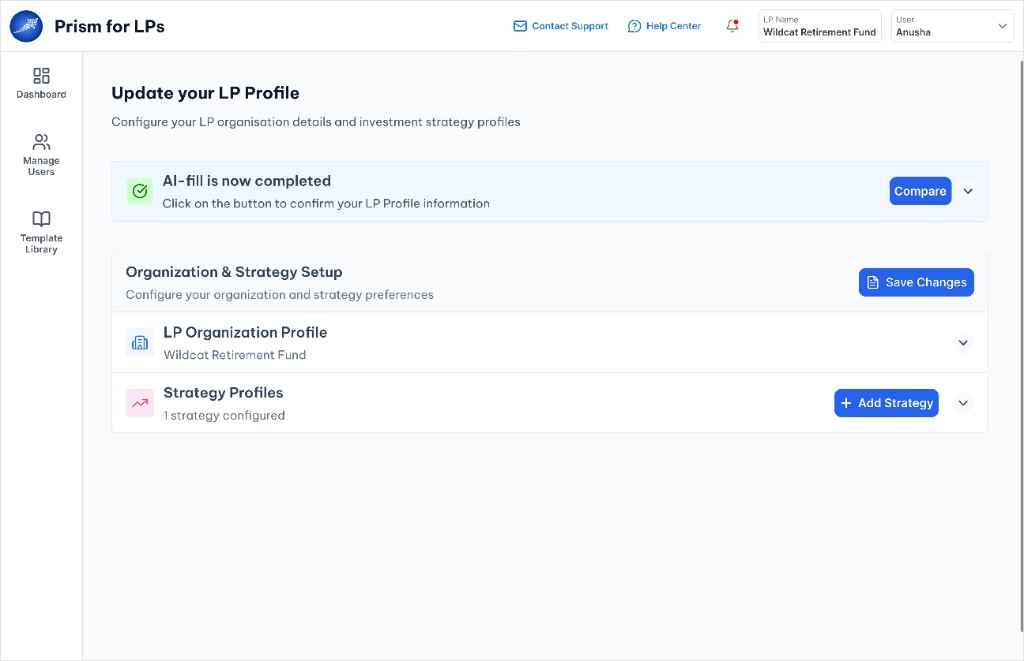
Open Compare to review AI suggestions against existing profile data.
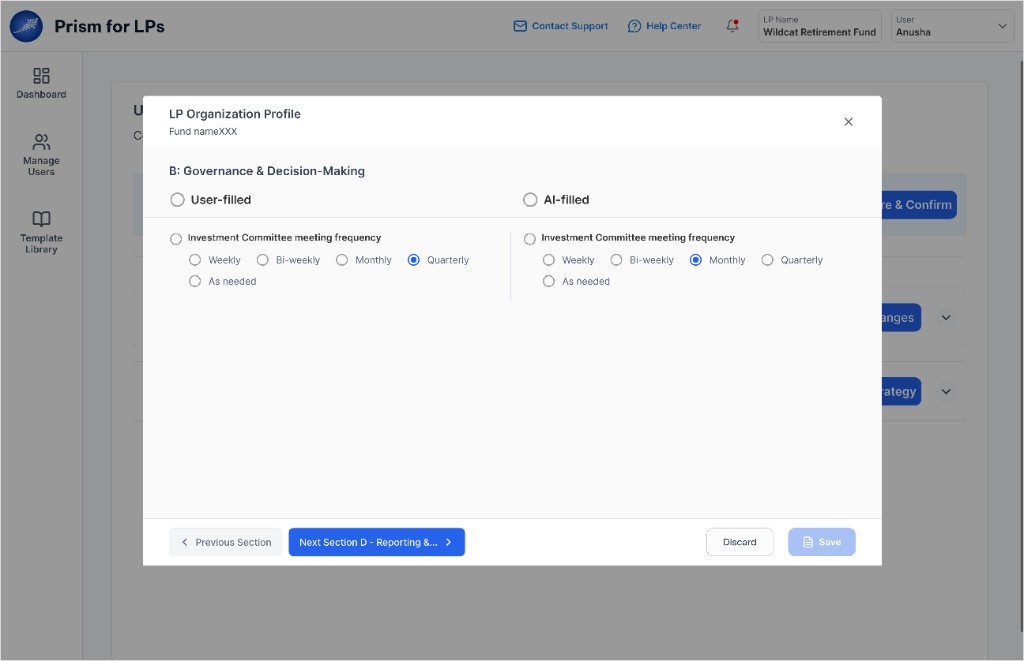
Side-by-side view of user-filled and AI-suggested values.
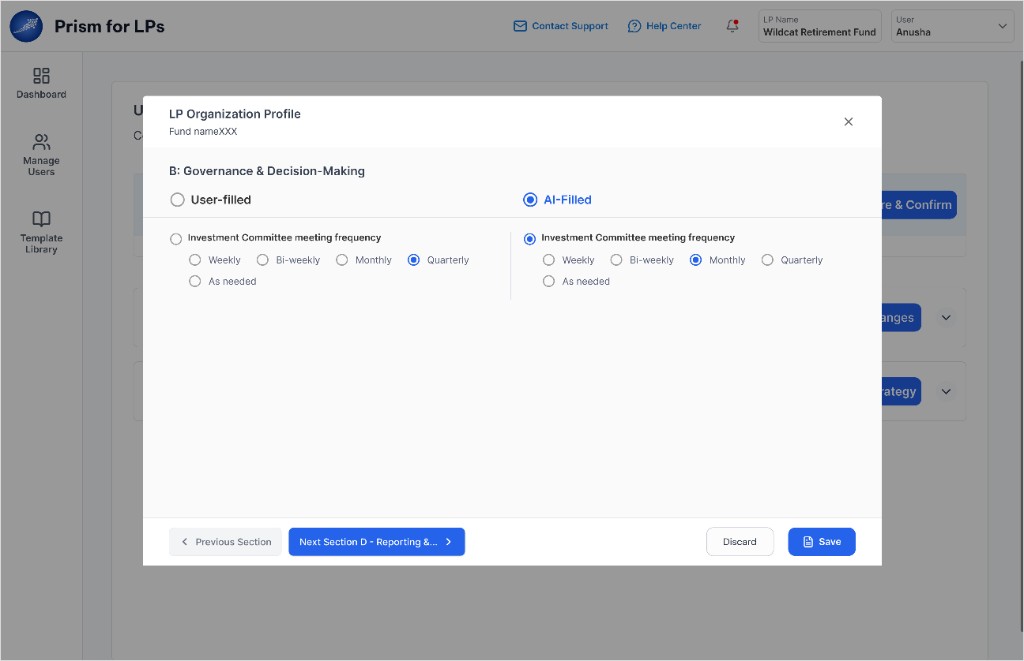
Select the AI-filled option when it matches your document data.
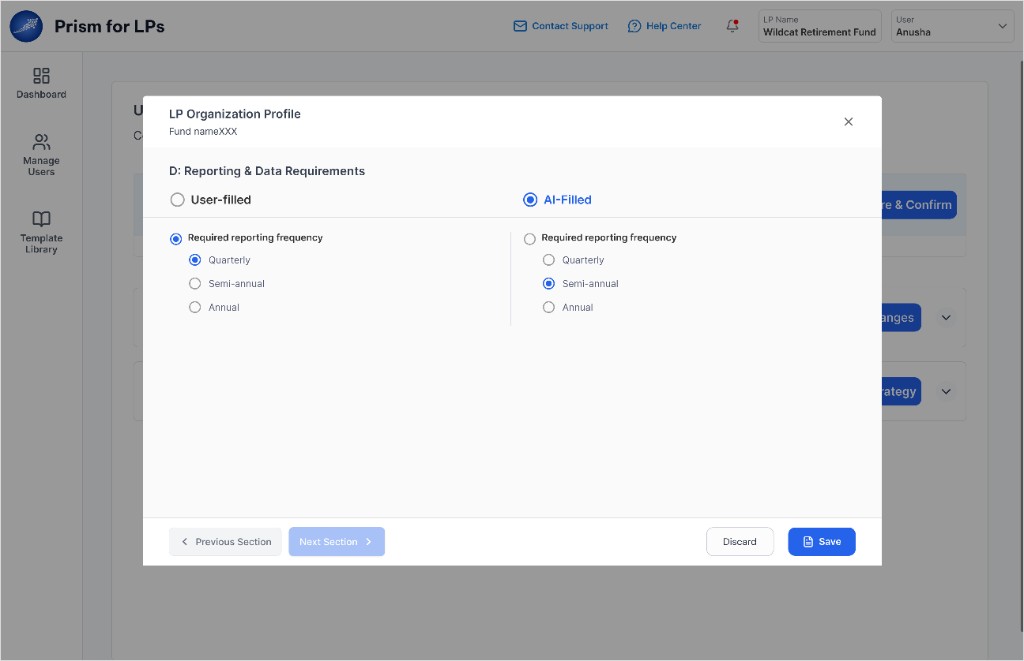
See where AI recommends different answers from manual entries.
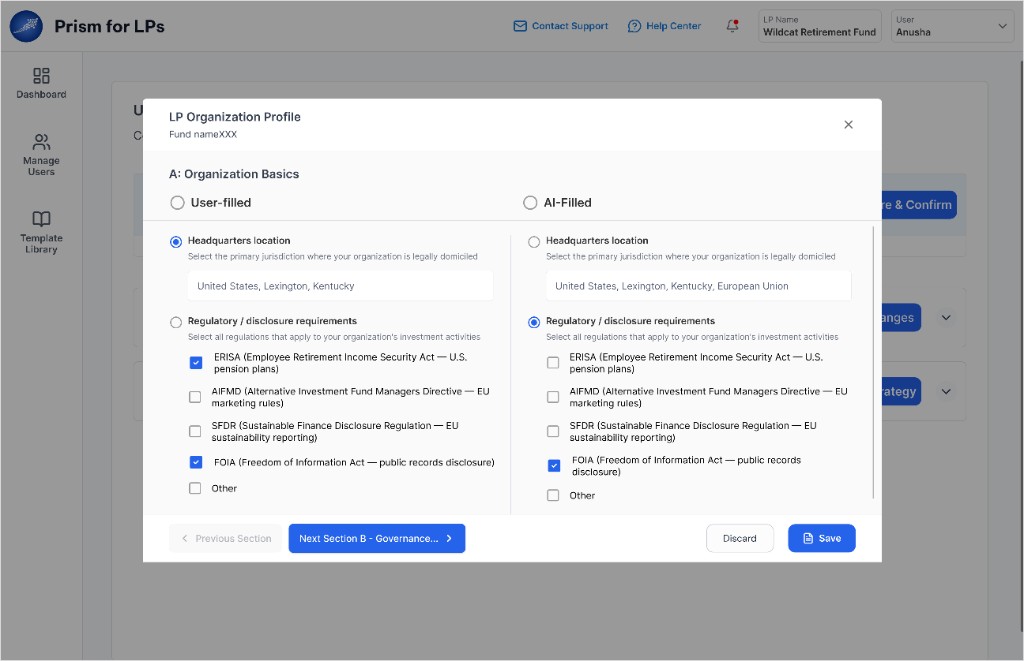
Review text fields, radio groups and multi-select choices.
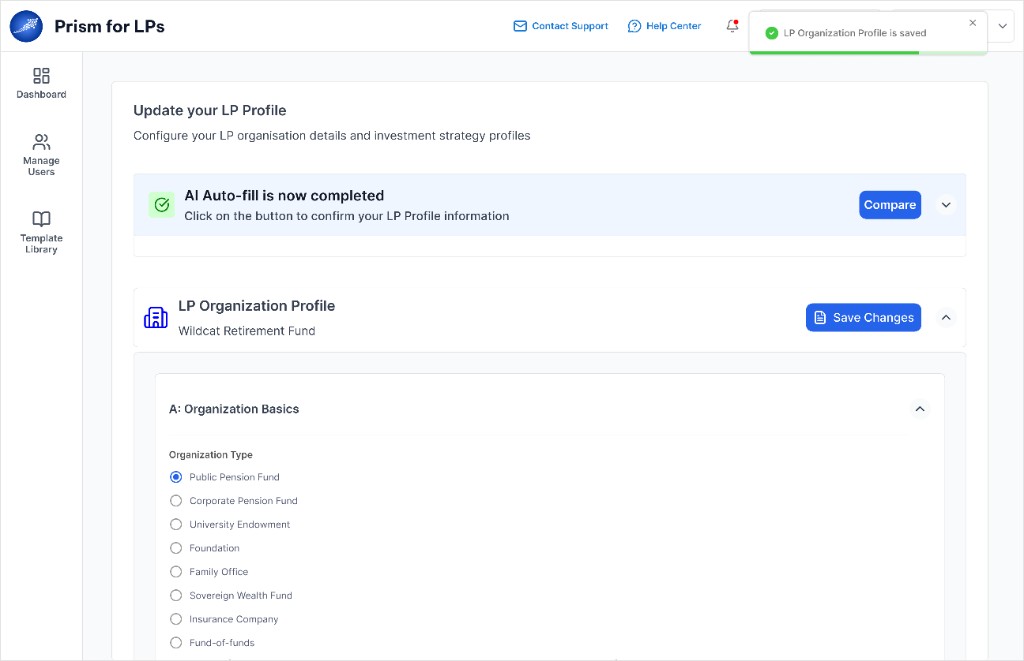
Confirm and save the profile to finish LP setup.
Before: manual entry
After: with AI-Auto Fill
0% average time reduction · 0%+ field accuracy with review
AskSphere is separate from the onboarding flow. It sits in the top navigation bar and is accessible from any page in Prism. LPs use it when they have questions during evaluation or portfolio work. It is never required but removes friction around information access whenever users need it.
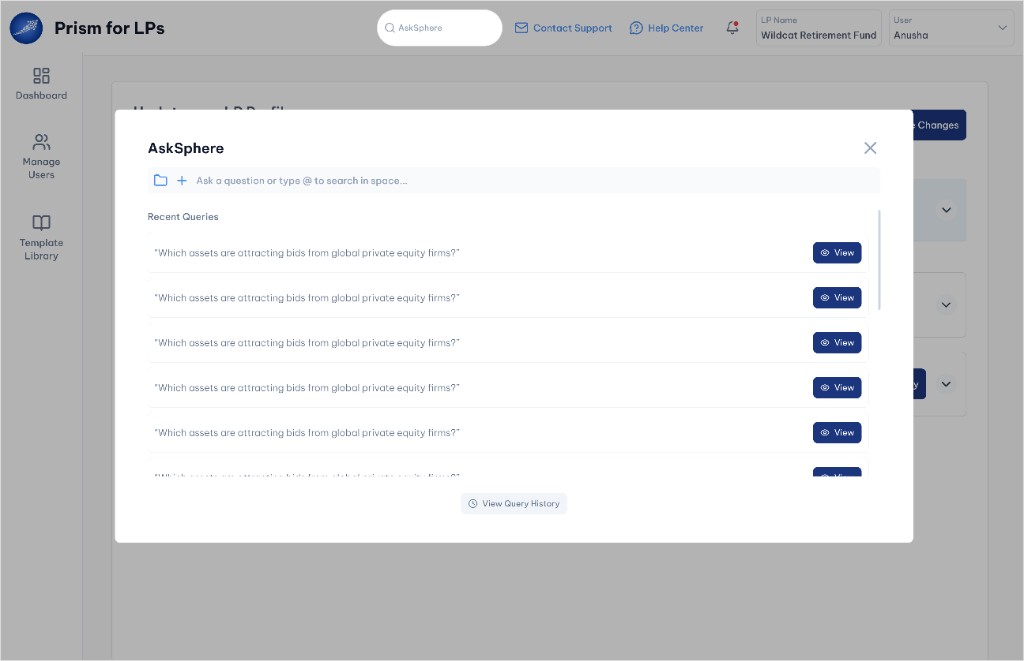
Open AskSphere from the top navigation to ask questions or review recent queries.
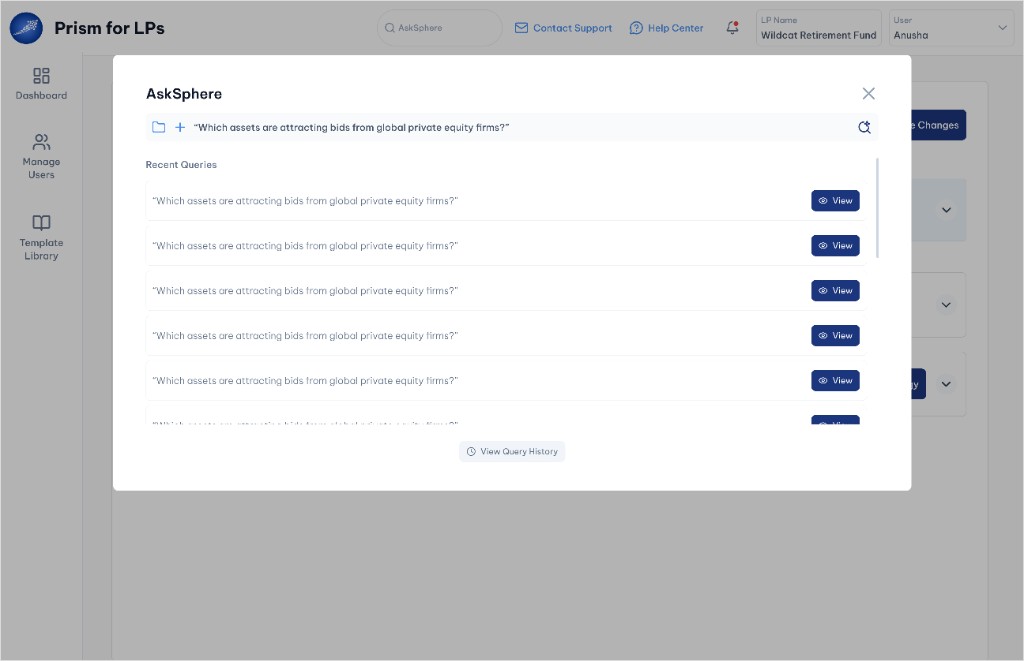
Type a natural language question and submit it to search across documents.
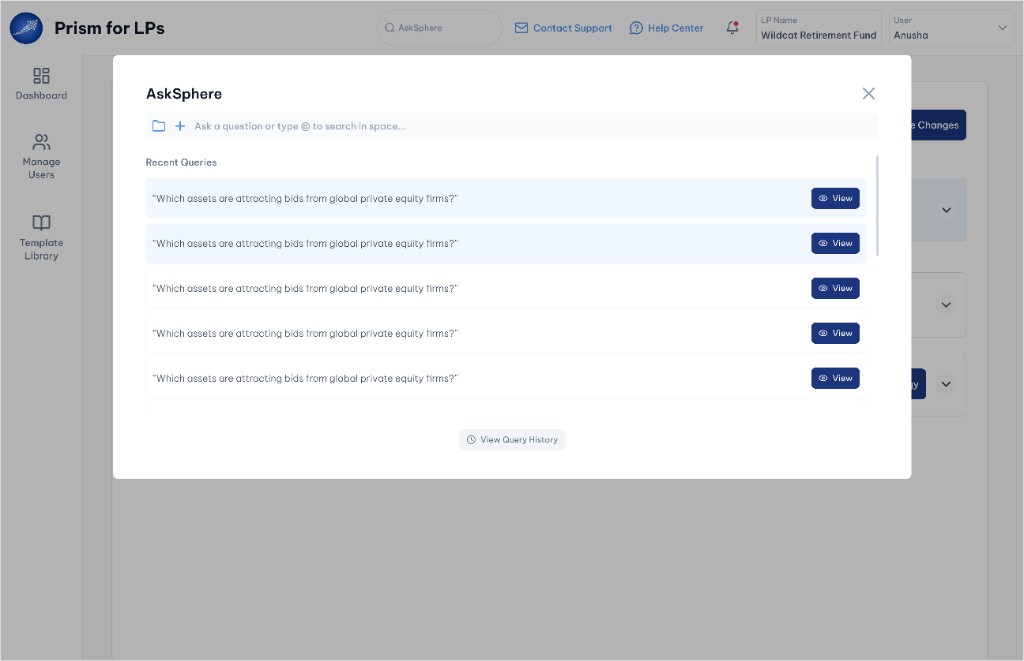
Submit the question to search across your document universe.
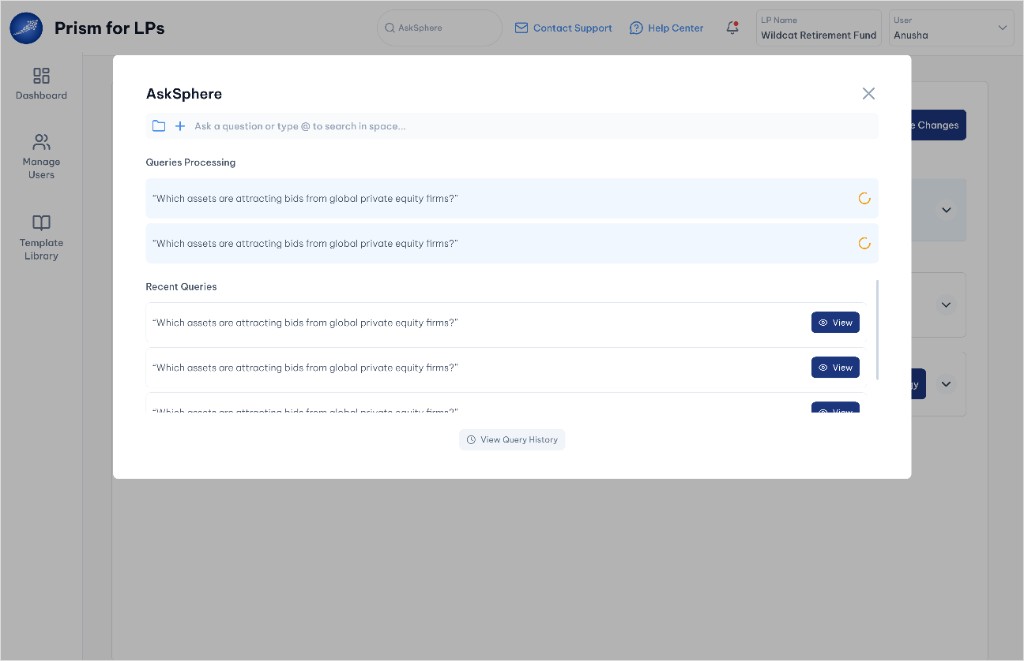
AskSphere processes the query while it appears in the processing queue.
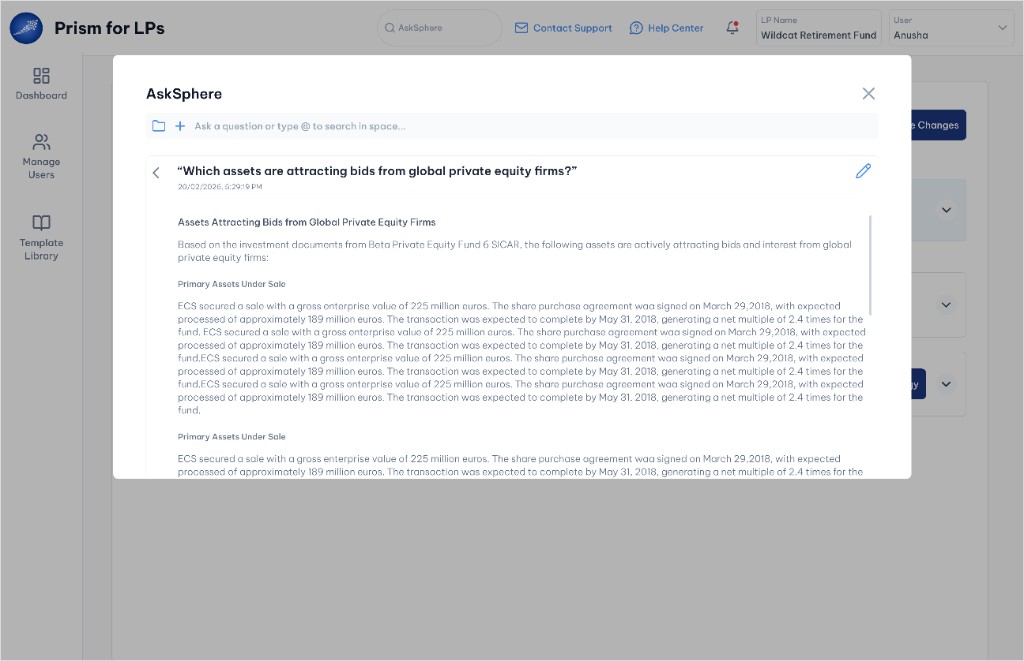
View the AI-generated answer with source-backed detail and edit options.
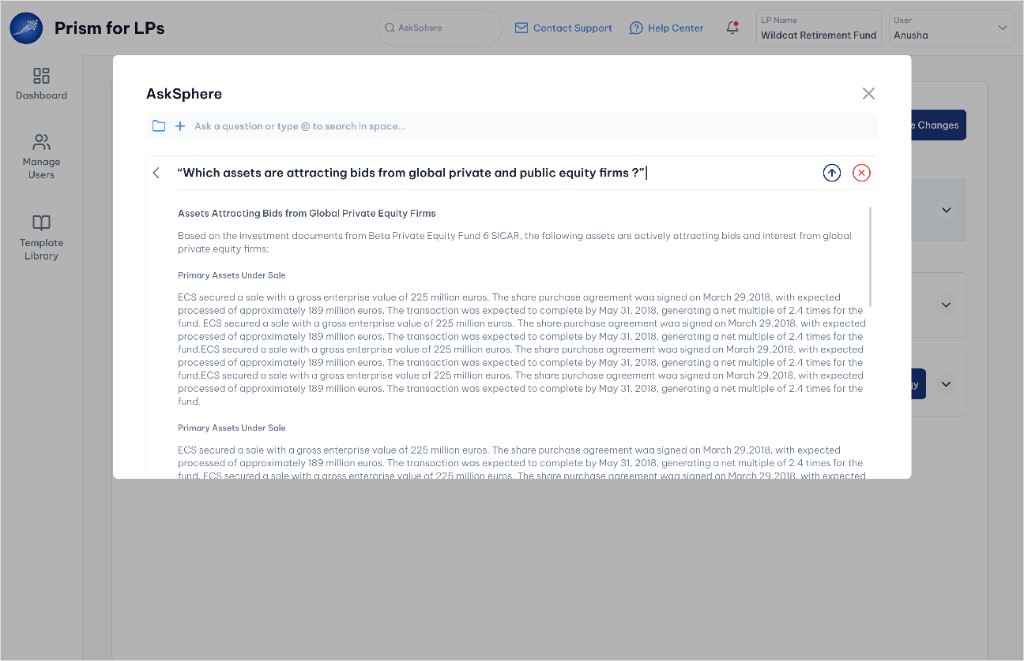
Open edit mode to refine the question before re-running the search.
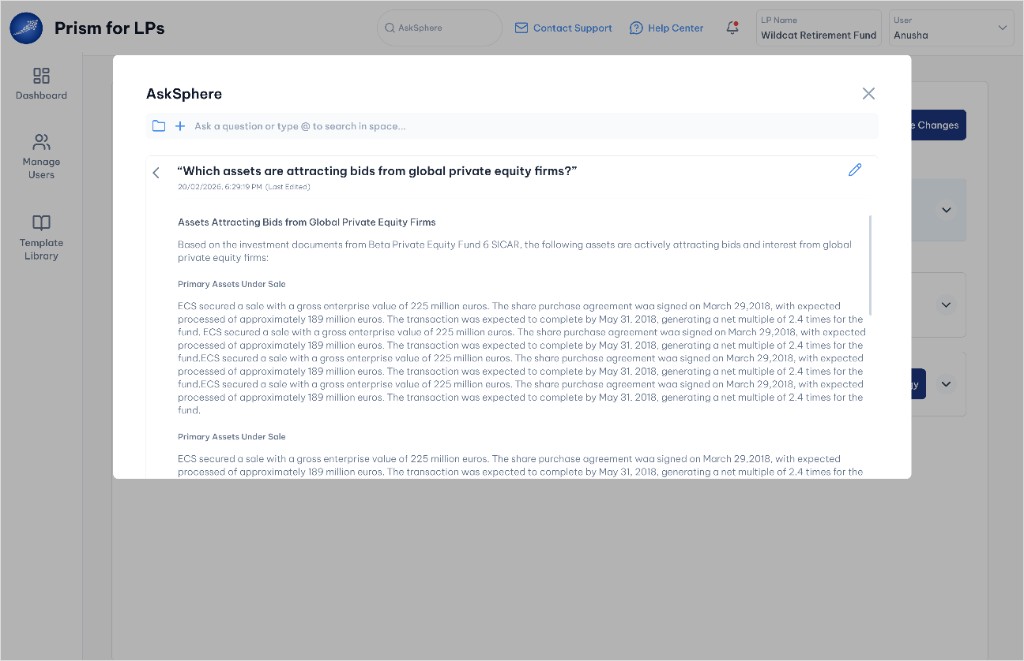
Review the refreshed answer after the edited query is submitted.
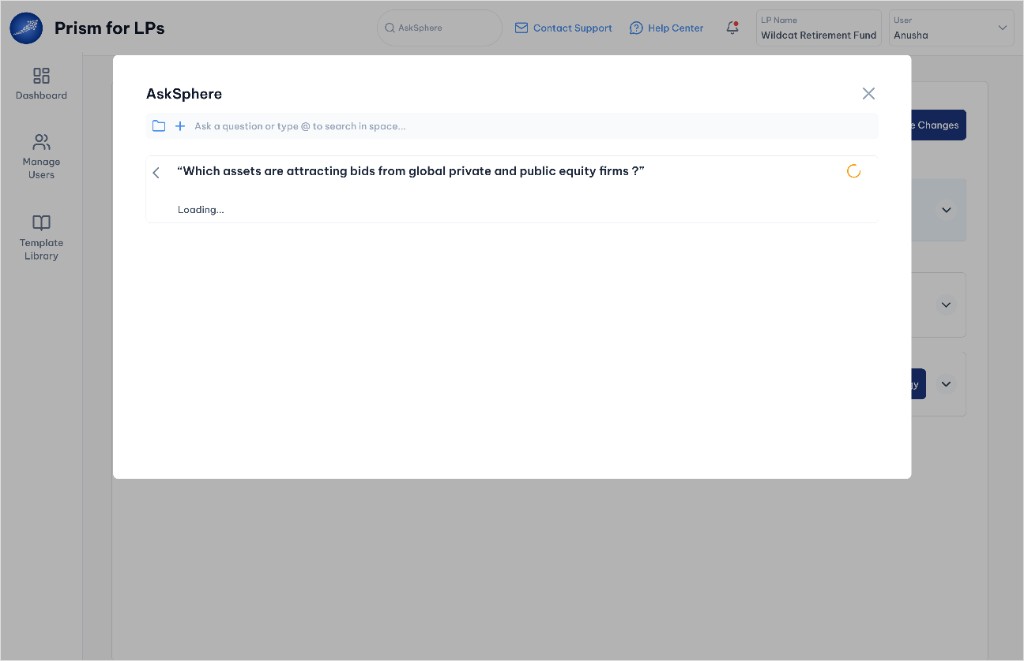
Submit the updated question and regenerate the response.
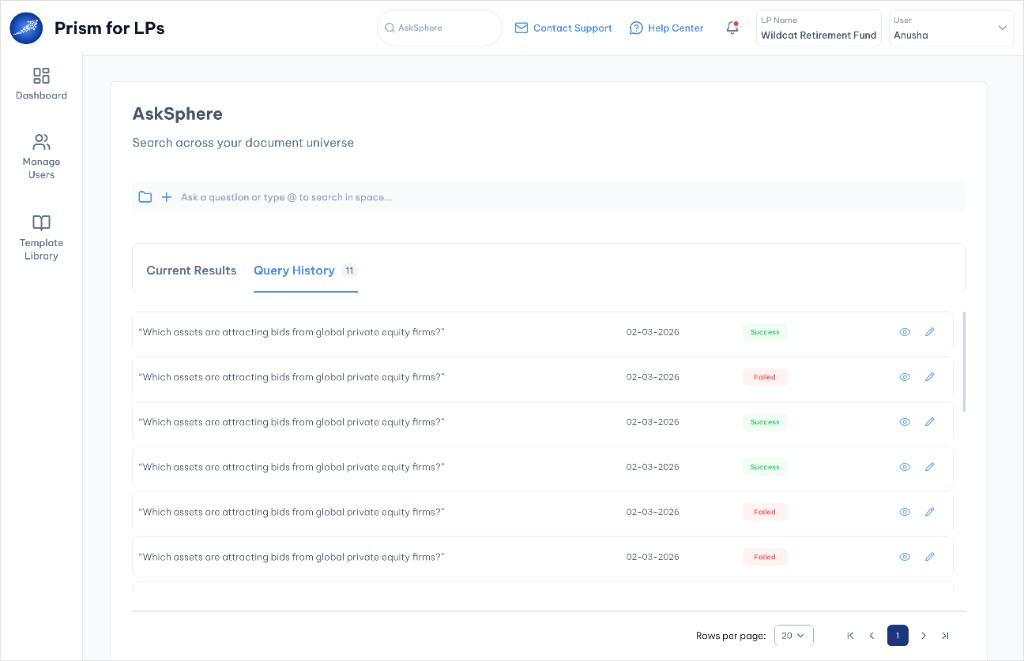
Browse all past queries with success, failed and pending states.
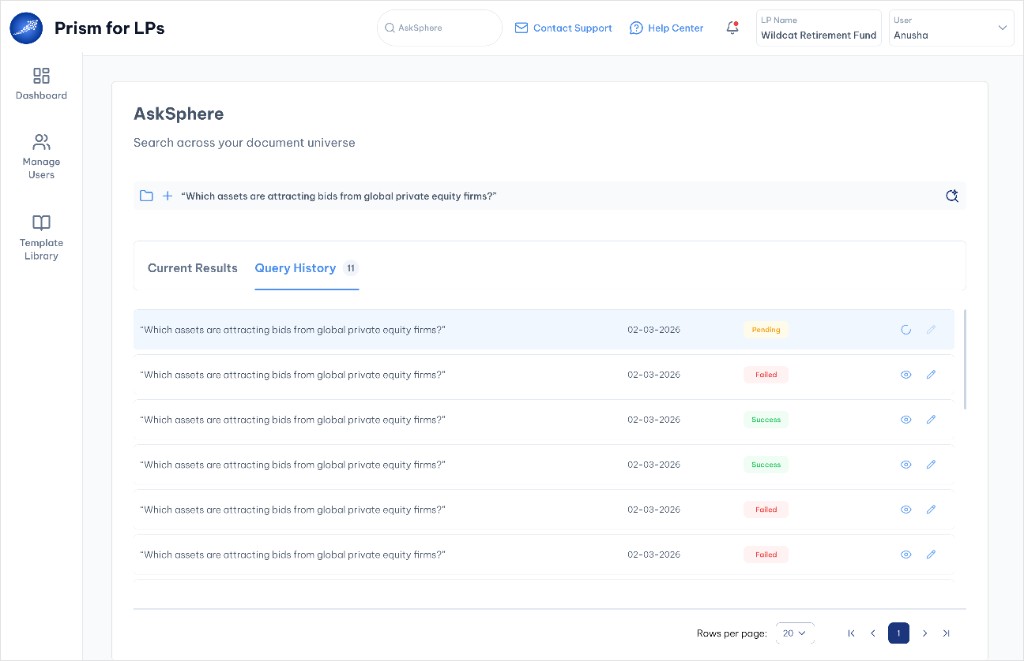
A new query appears in history with a pending status while it processes.
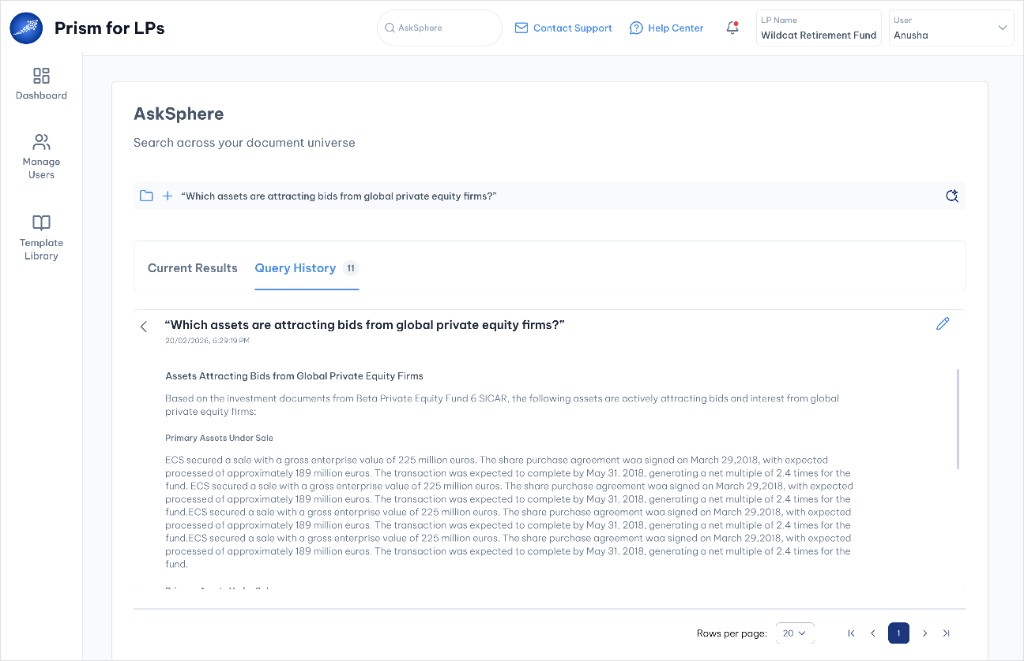
Review the full answer with export and share actions from results.
Before: browser search
After: instant answers
0% support ticket reduction · 0%+ self-service resolution
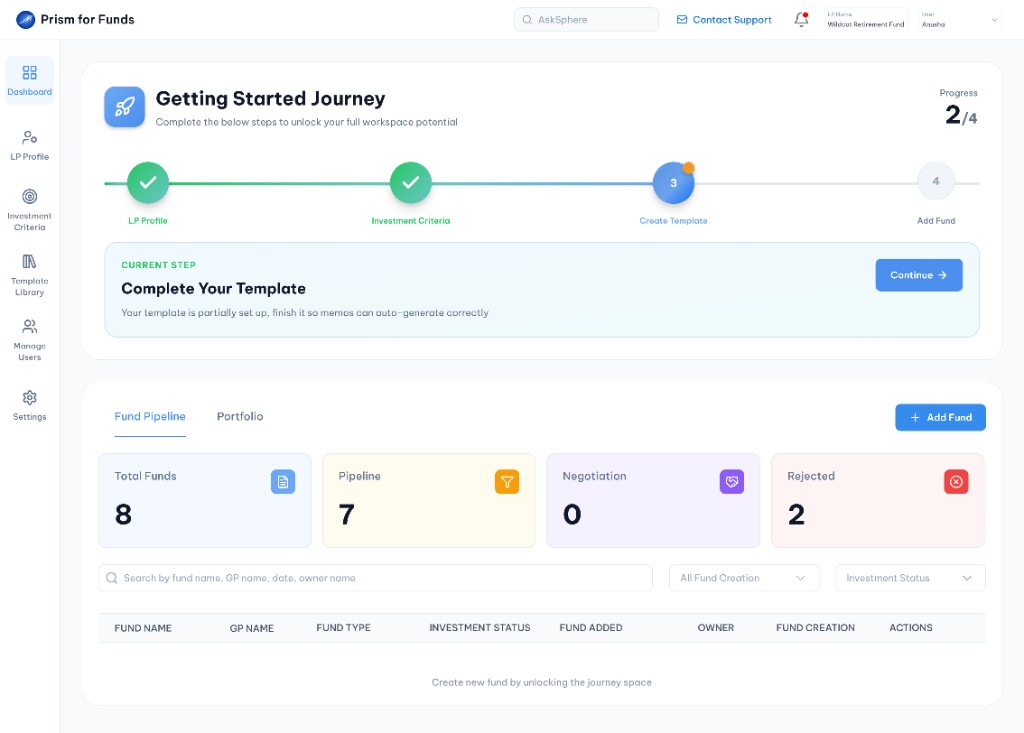
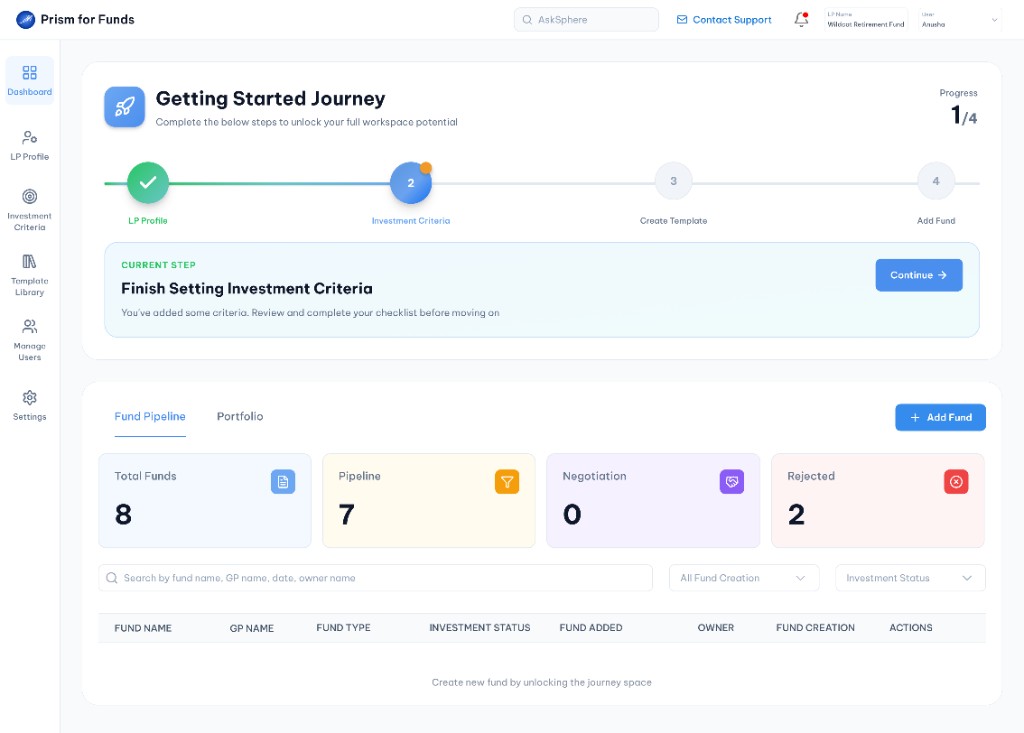
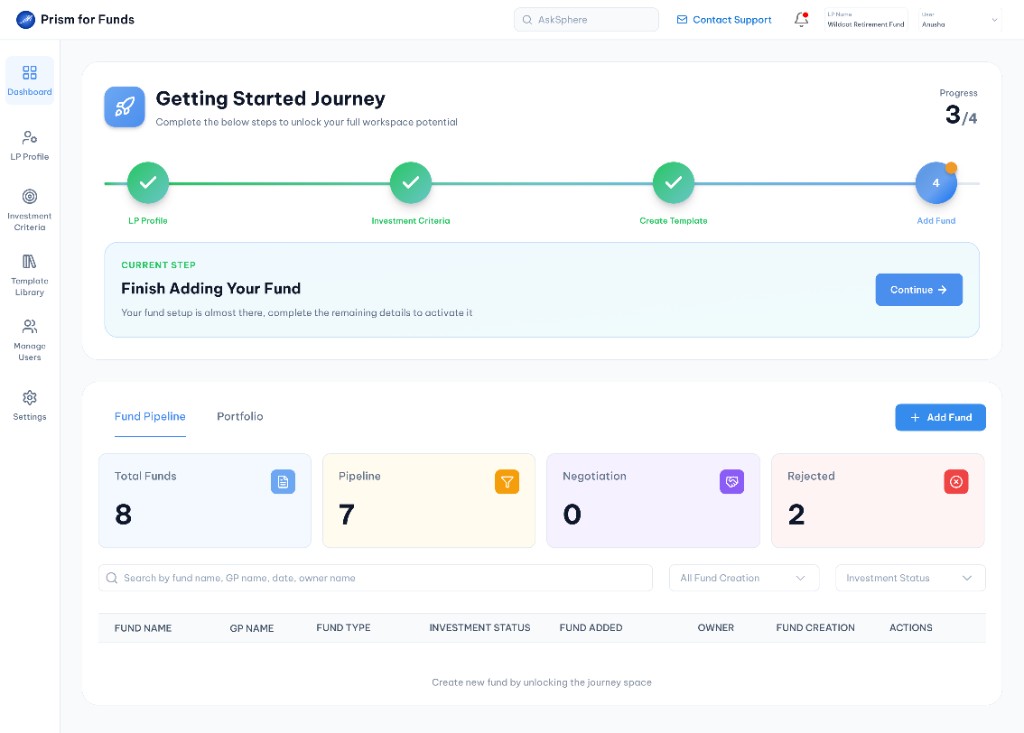
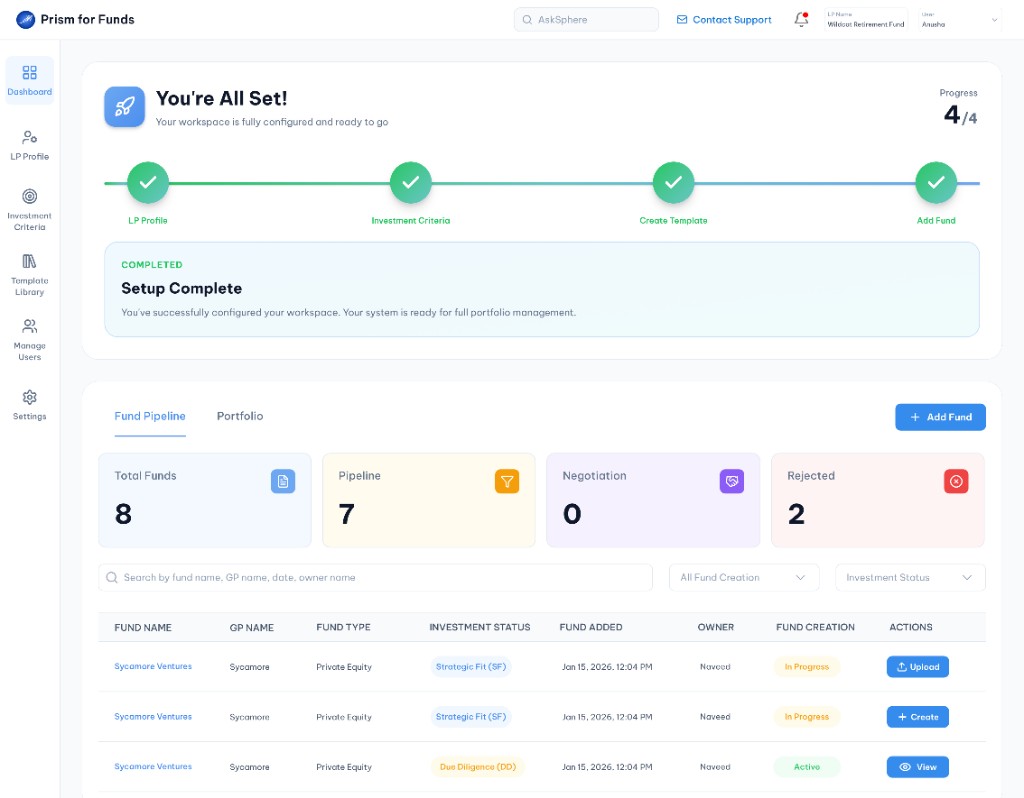
Dashboard Onboarding is the primary workflow LPs follow from first login. Step 1 (LP Profile) includes integrated AI-Auto Fill. The journey continues through optional criteria and template steps into fund evaluation with conditional pre- and post-investment paths.
Mandatory · AI-Auto Fill available
Optional · Skippable
Optional · Skippable
Mandatory · Pre/post checkpoint
Onboarding journey from filling the LP Profile to unlocking the fund pipeline on the Dashboard
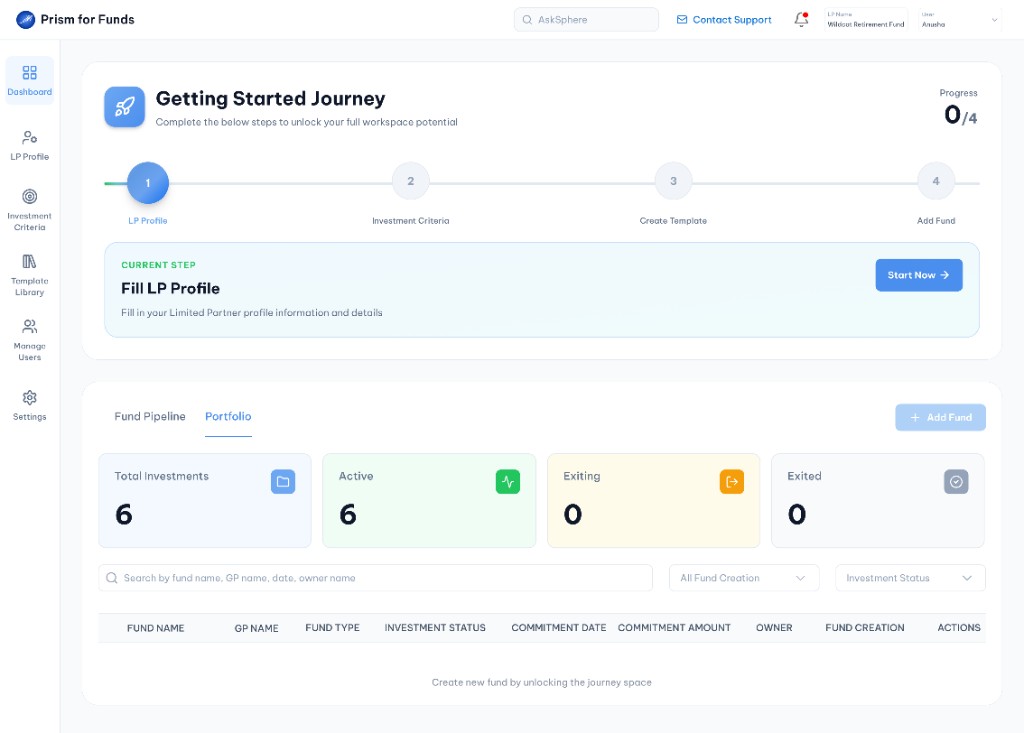
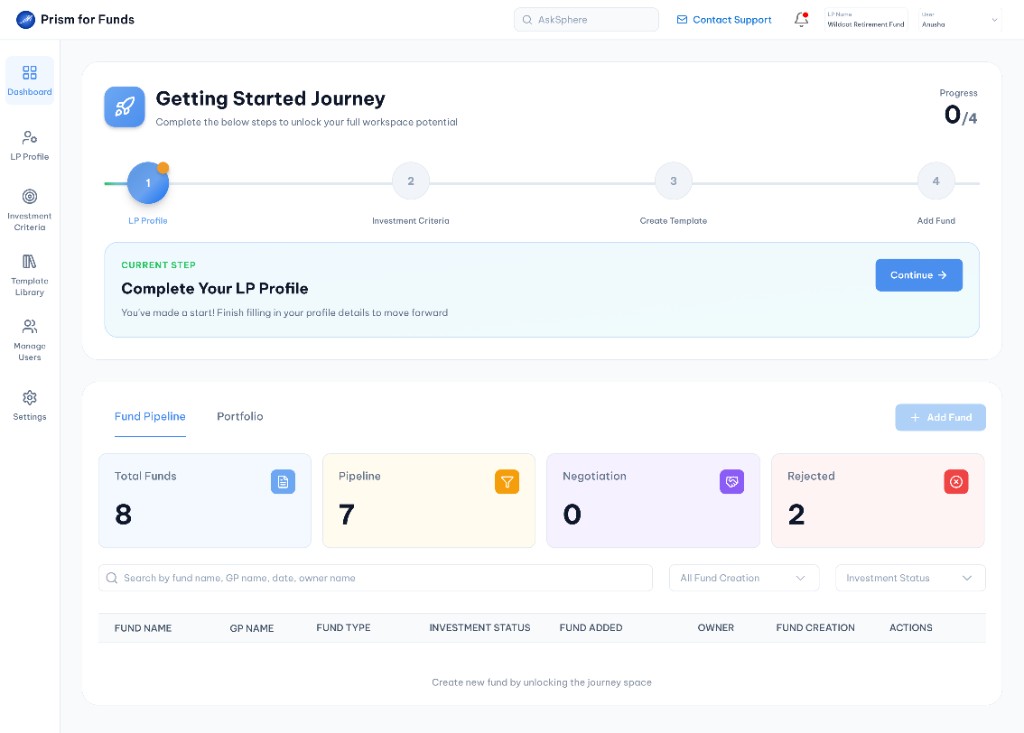
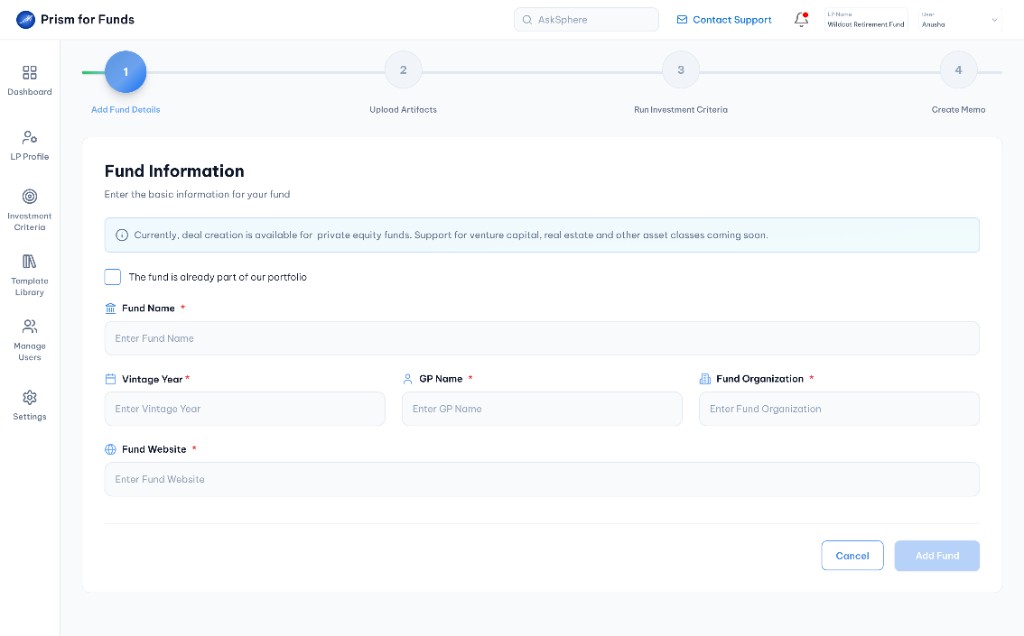
Start the new fund workflow from the Dashboard fund pipeline.
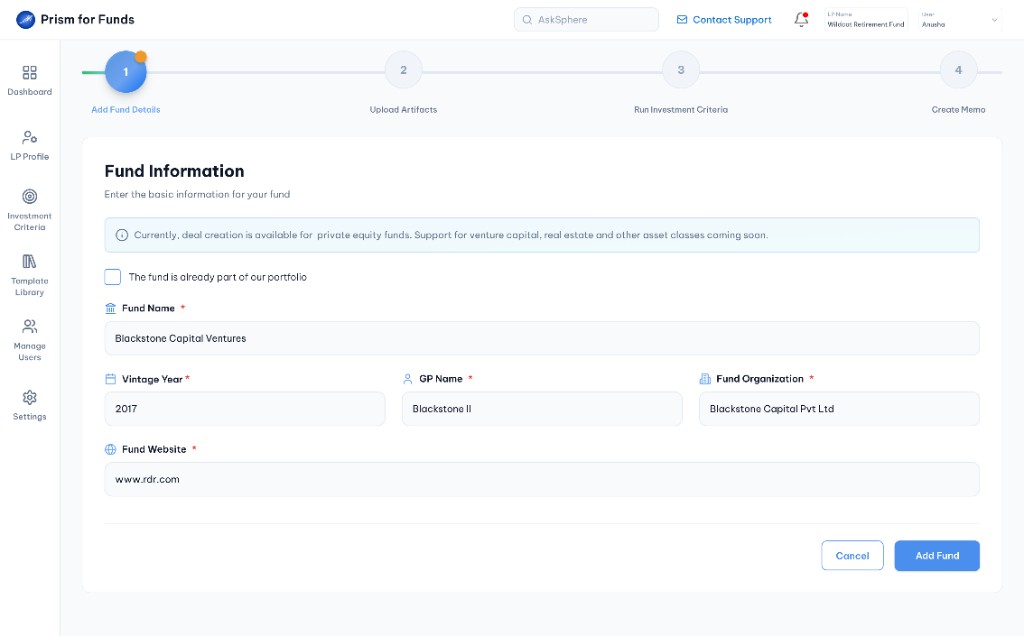
Enter fund name, vintage year, GP name, organization and website.
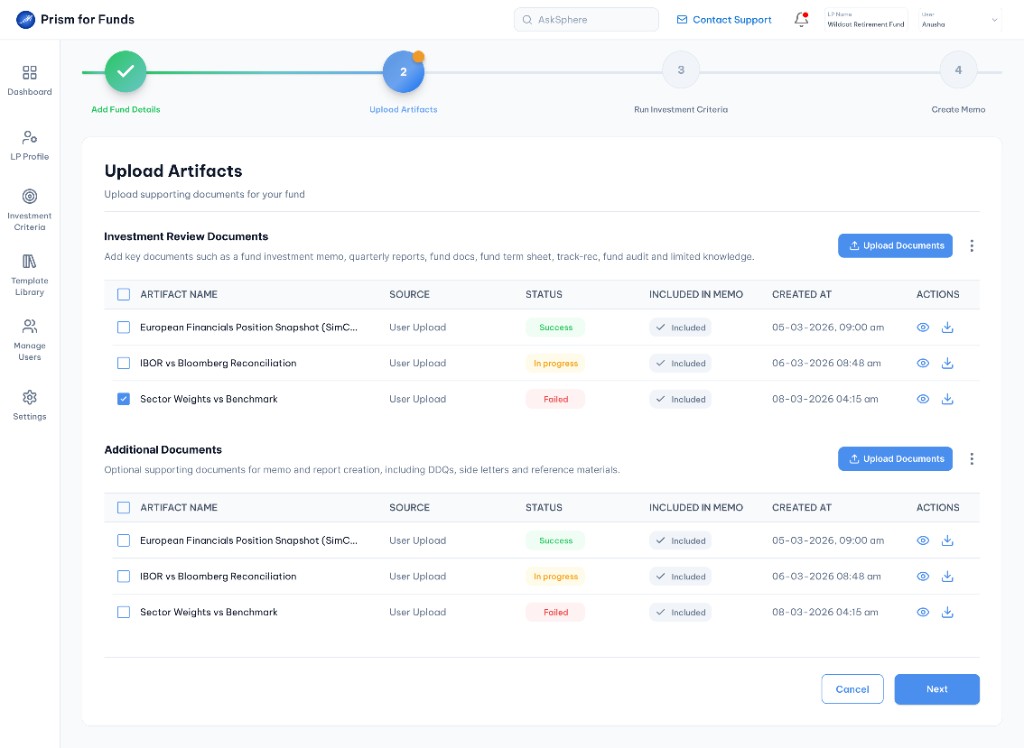
Review uploaded documents with status tracking and memo inclusion flags.
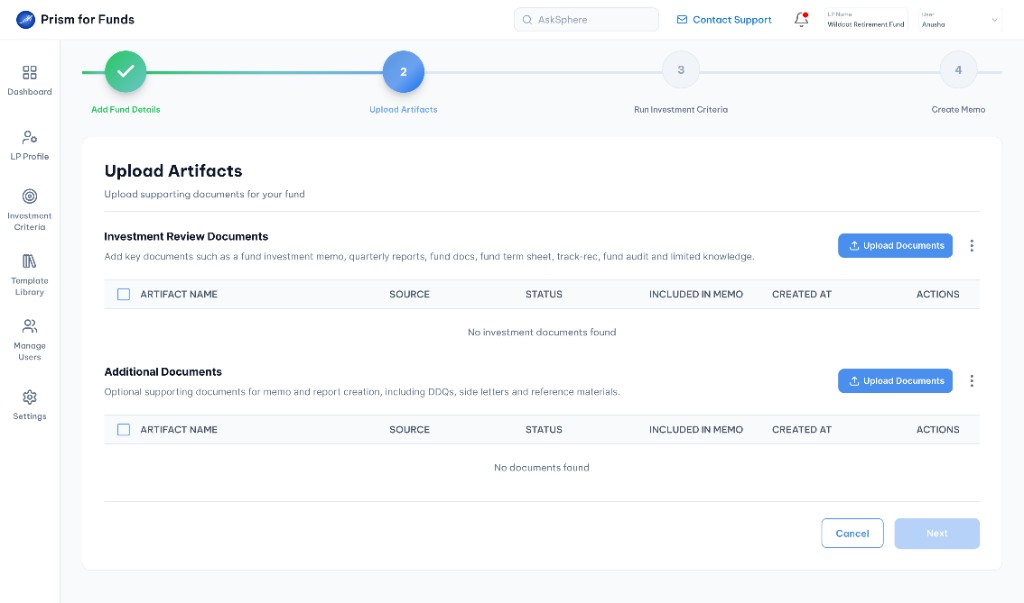
Upload fund memo, quarterly reports, prospectus and term sheet.
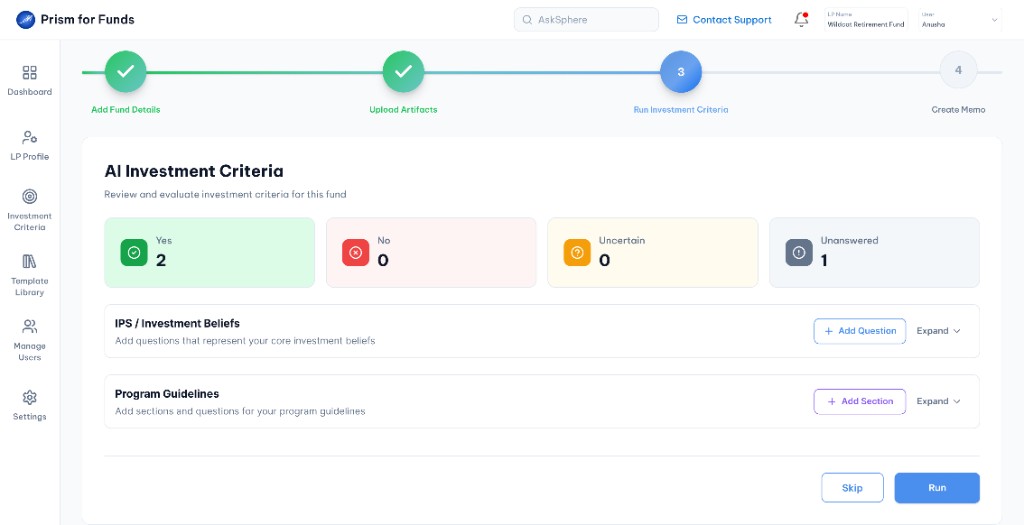
Review criteria sections and summary counts before running evaluation.
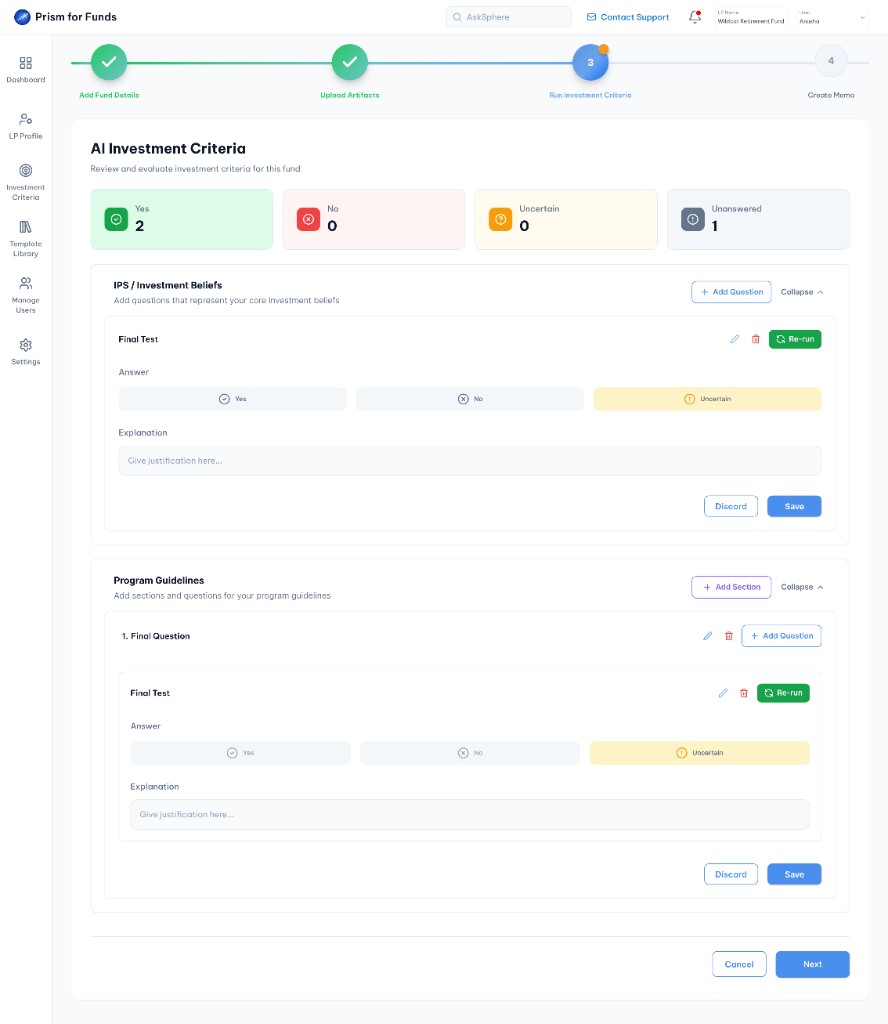
AI categorizes each criterion as Yes, No, Uncertain or Unanswered.
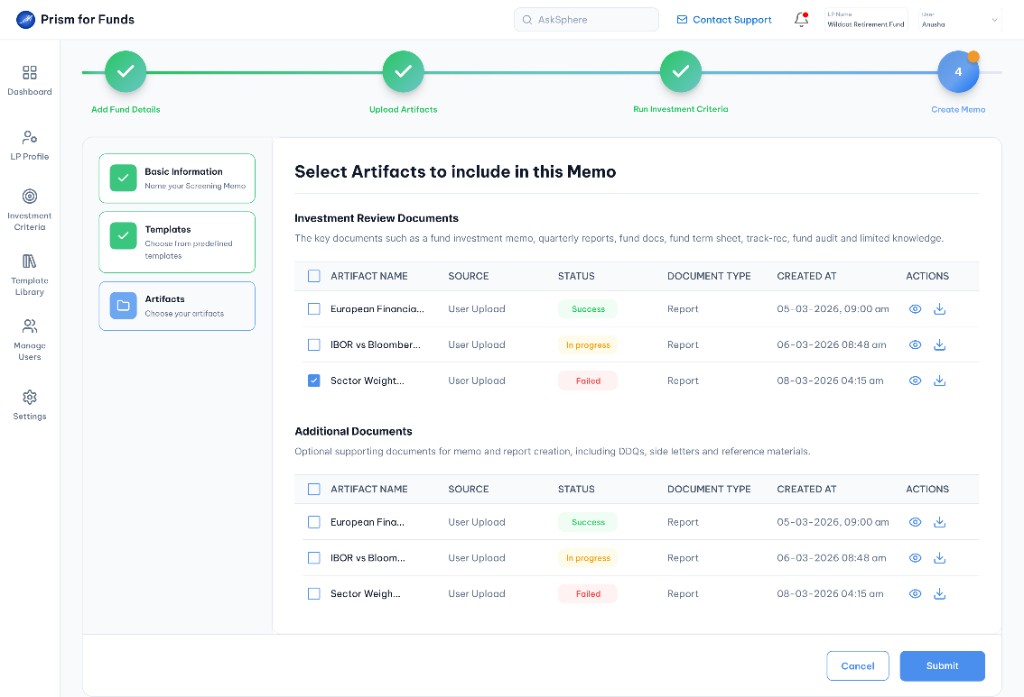
Submit the memo and add the fund to the pipeline.
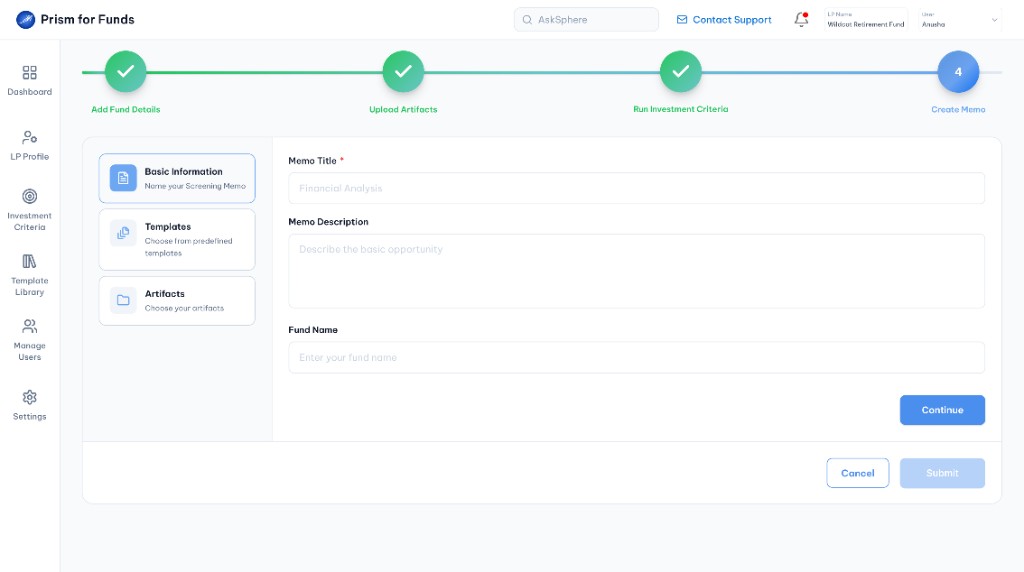
Complete basic information, choose a template and select artifacts to include.
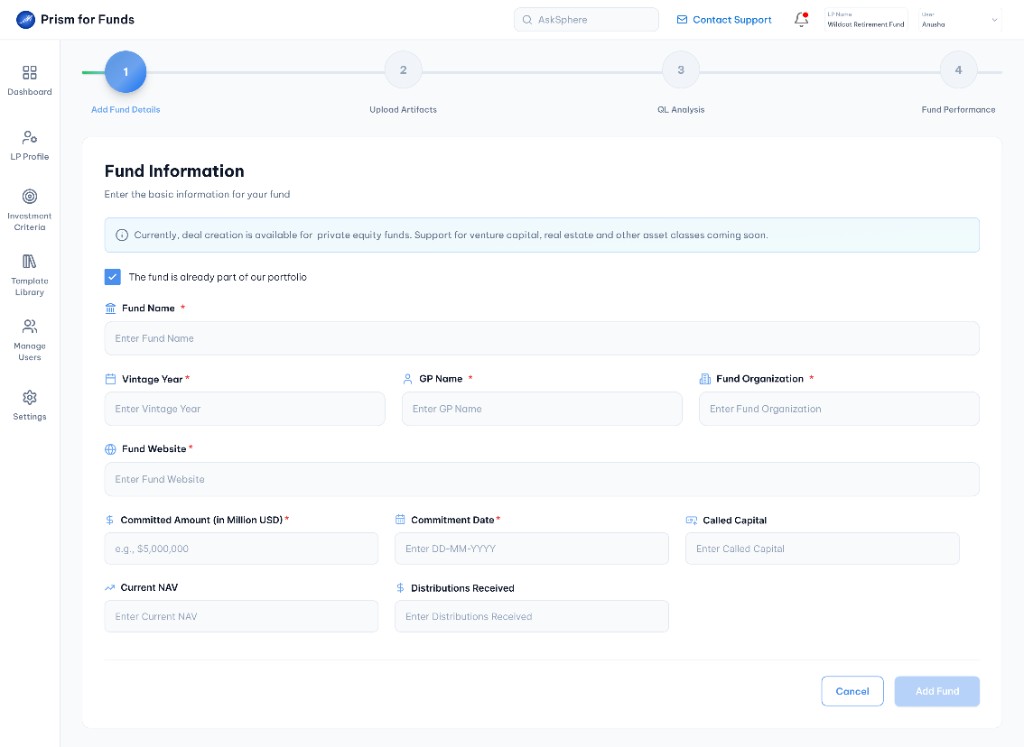
Start the portfolio fund workflow with the portfolio checkbox and extended fund fields.
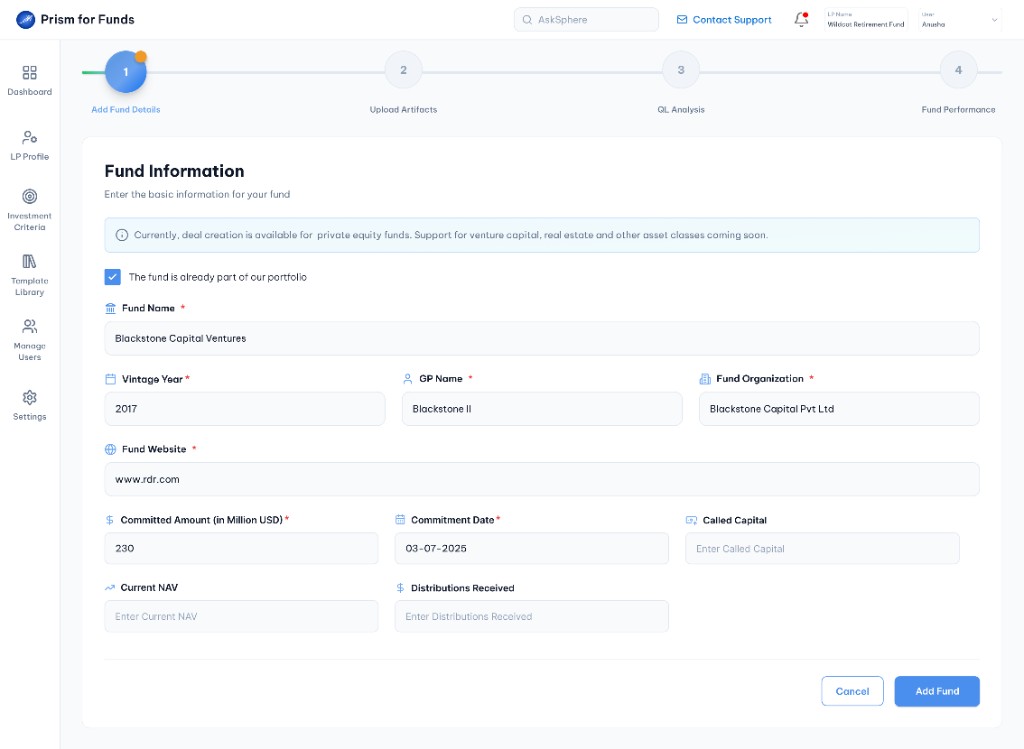
Enter committed amount, commitment date and portfolio fund information.
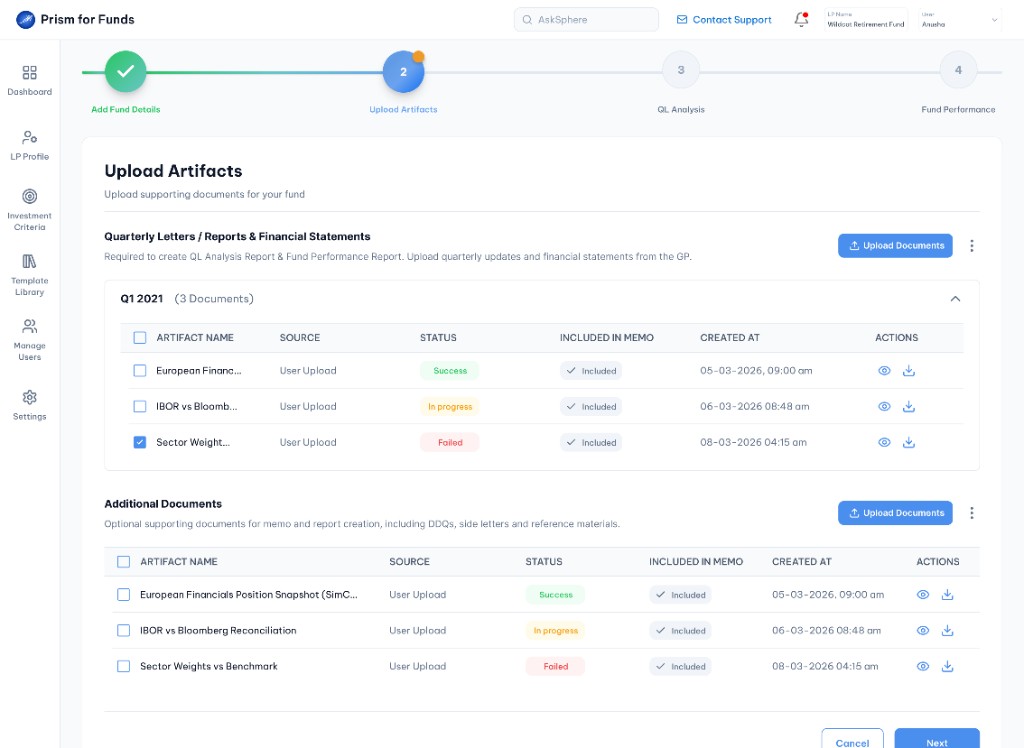
Review uploaded documents grouped by quarter with status tracking.
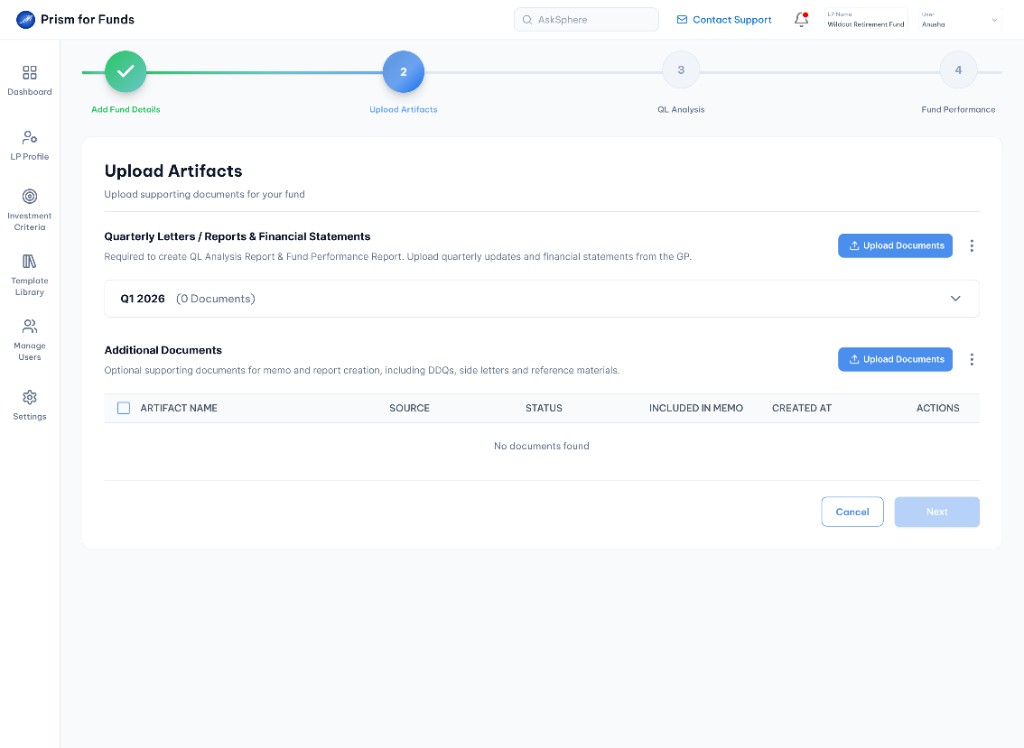
Upload quarterly letters, reports and financial statements.
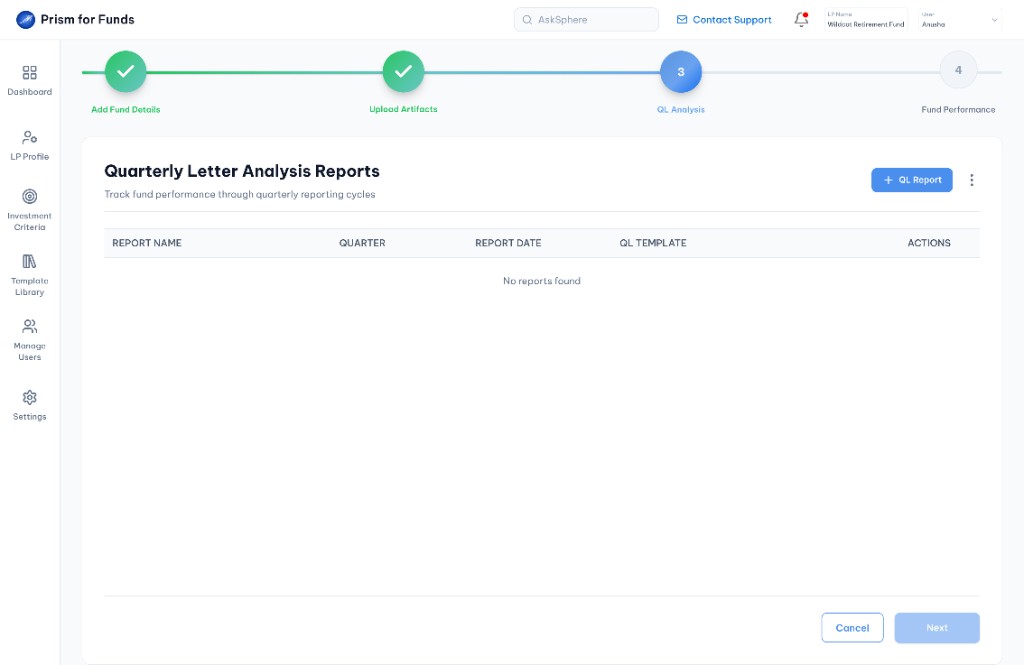
Open the QL reports view and start a new quarterly letter analysis.
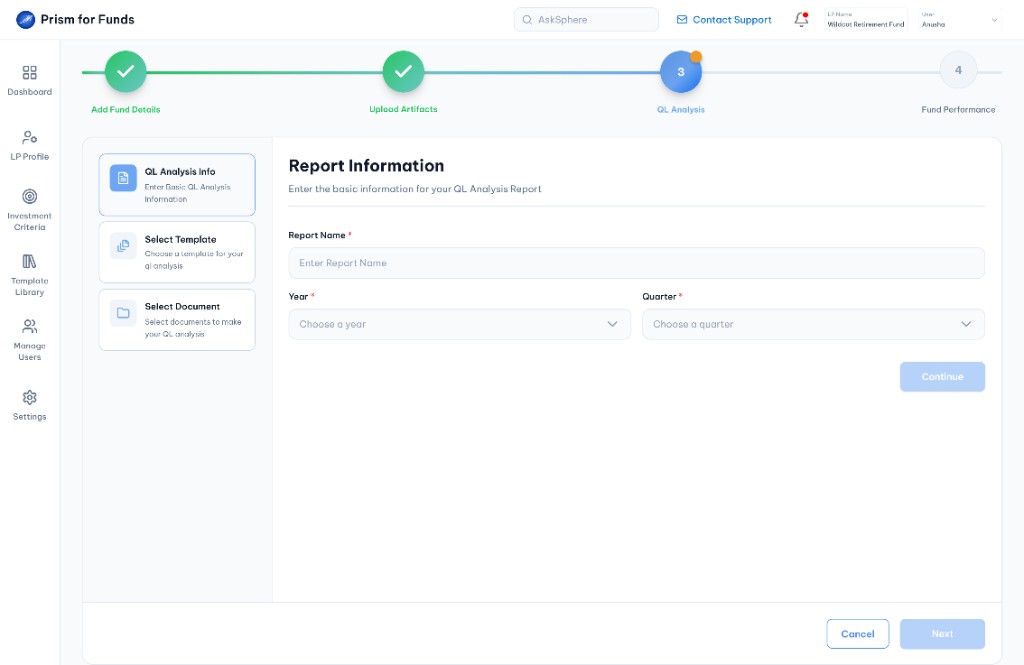
Enter report name, year and quarter for the QL analysis.
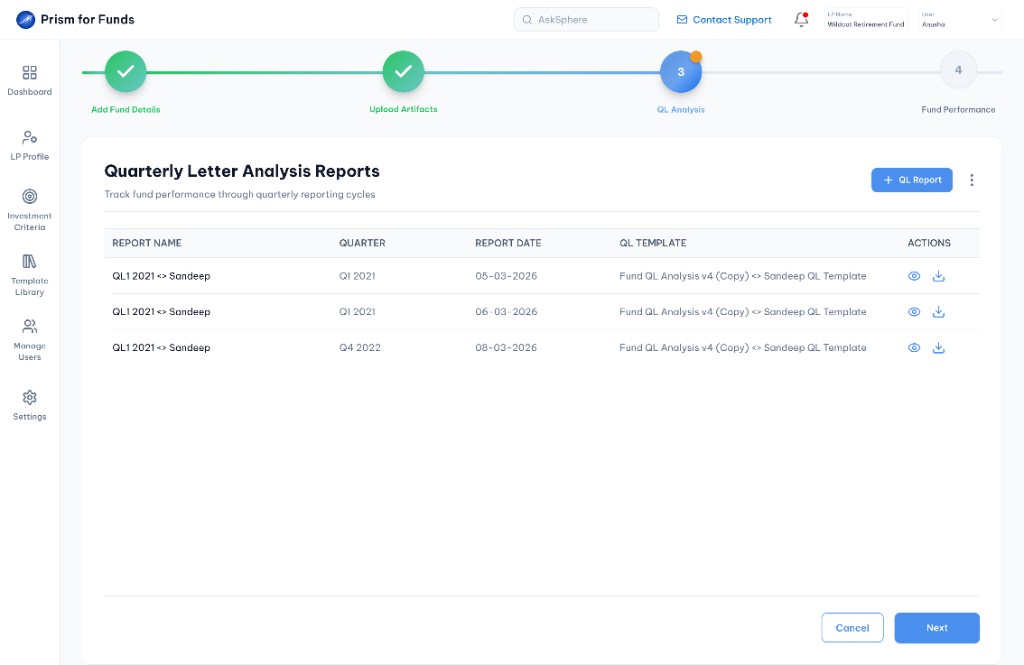
View generated QL reports with download and view actions.
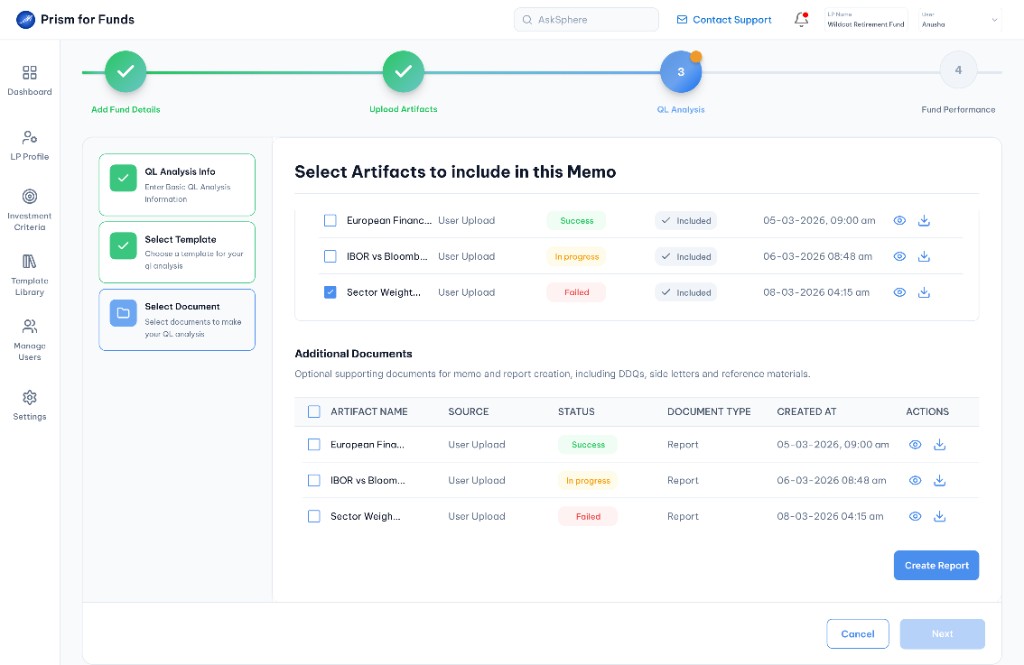
Select artifacts, choose a template and create the QL report.
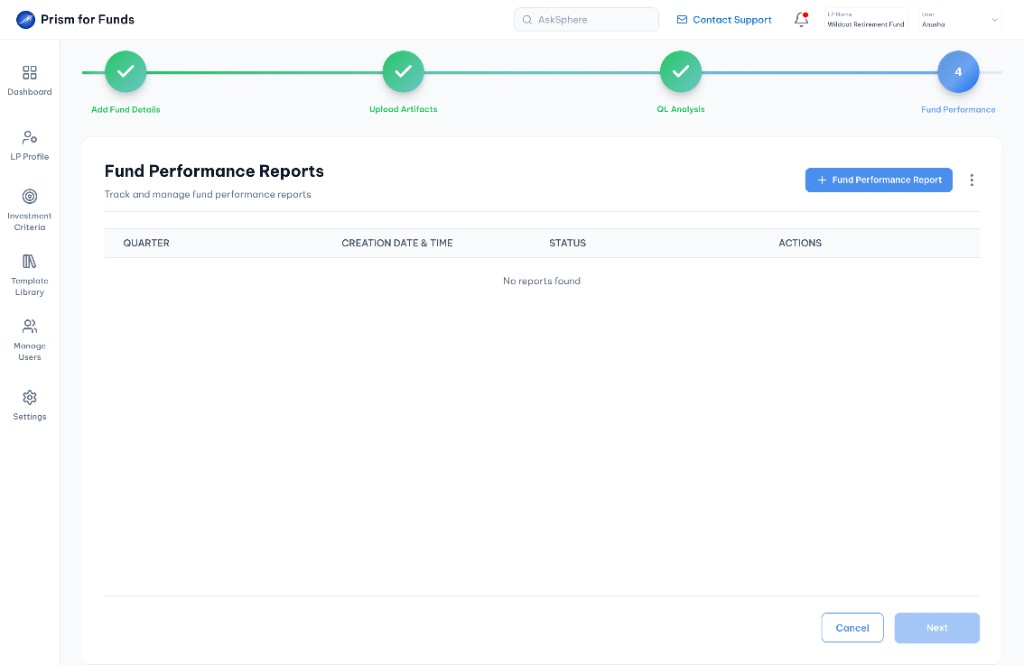
Open the fund performance view and start a new performance report.
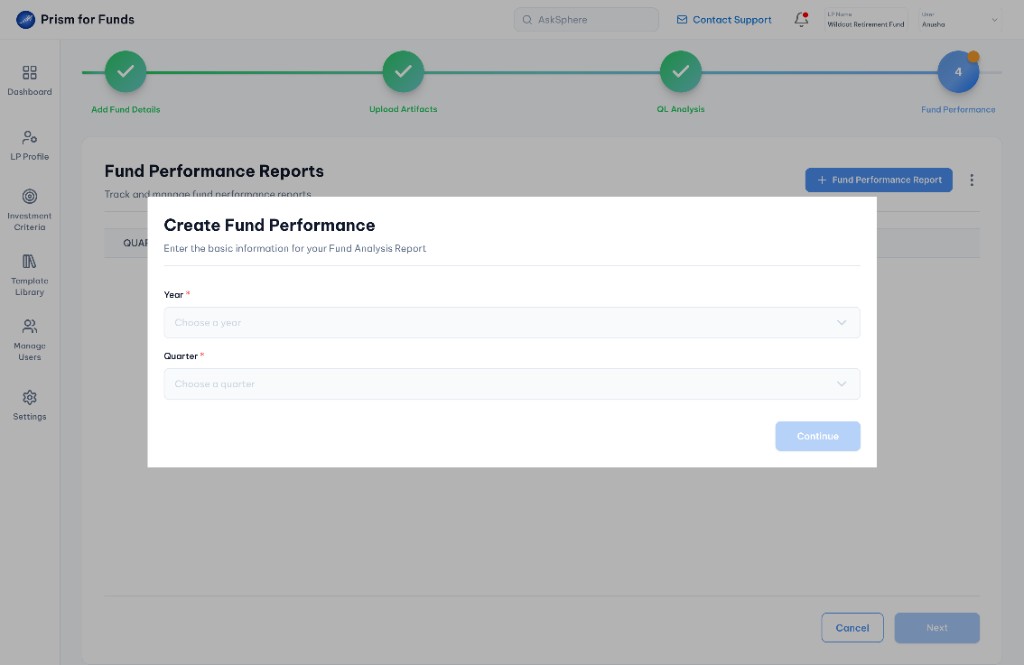
Specify year and quarter for the fund performance report.
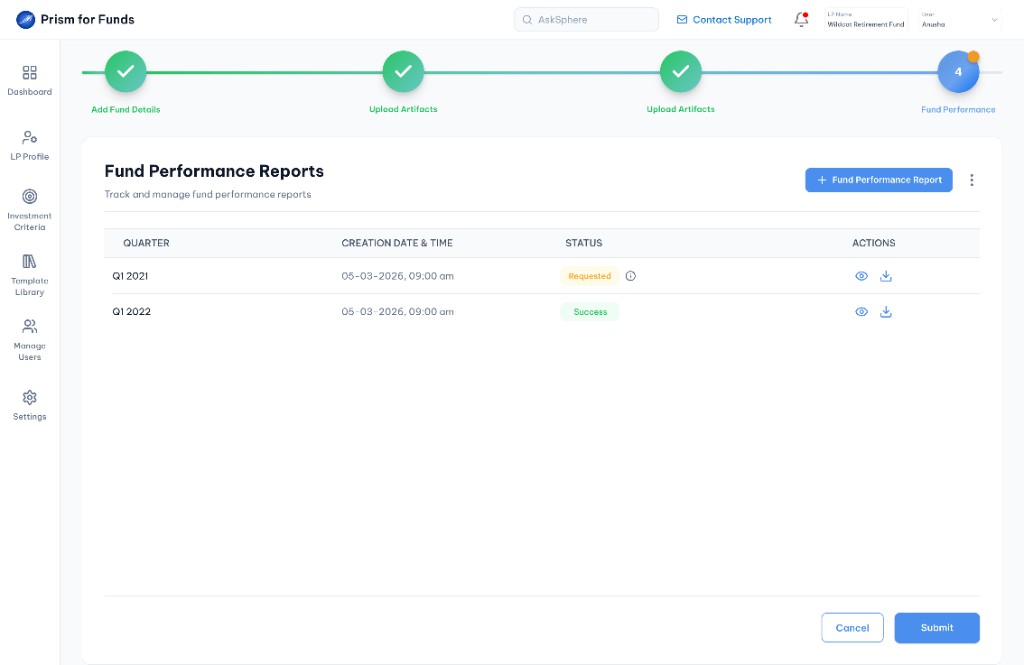
Track performance reports across quarters with status and actions.
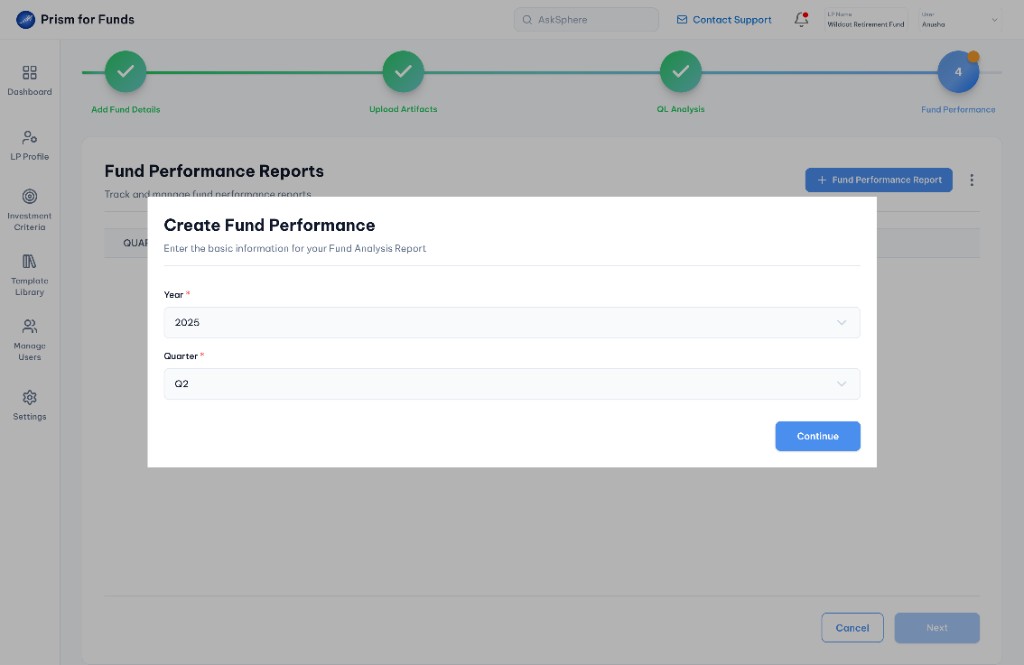
Submit the fund performance report for generation.
Before: completion rate
After: onboarding completion
Dashboard Onboarding with integrated AI-Auto Fill is the primary path. AskSphere is optional support users reach for when they need answers.
LP logs in and begins Dashboard Onboarding at step 1: LP Profile. Instead of manually typing 40+ fields for 3-4 hours, they use the integrated AI-Auto Fill to upload their investment thesis and strategy document. AI populates 35 of 40 fields in under 2 minutes. They review suggestions in the merge-style interface and complete the profile in 5 minutes. If they have a question along the way, they can open AskSphere from the nav bar but it is not required.
LP continues the Dashboard workflow and adds a new fund on the pre-investment path: upload artifacts, run criteria, create a memo and submit to the Pipeline. Midway through, they are unsure what "Strategic Fit" means and optionally open AskSphere for an instant answer before continuing the Dashboard flow.
LP adds an existing portfolio fund through Dashboard Onboarding on the post-investment path: QL Analysis and performance reporting. They optionally use AskSphere to clarify a metric, then export the answer as PDF. The Dashboard workflow remains the primary path throughout.
A unified visual and interaction language ensures Prism feels like one cohesive product rather than disconnected features.
Every decision rooted in user pain points, testing feedback and systems thinking.
Most decisions below relate to Dashboard Onboarding and its integrated AI-Auto Fill experience. AskSphere follows its own design principles as a standalone complementary tool.
The merge-conflict interface shows AI suggestions alongside existing data. Users make informed decisions, building trust and preventing accidental data loss.
Onboarding breaks the process into discrete steps with always-visible progress. Users focus on one task, reducing decision fatigue and abandonment.
Users accept some AI suggestions while rejecting others. Full control while leveraging AI efficiency without requiring blind trust.
The portfolio checkbox at Add Fund makes conditional logic transparent. Users understand which path they're on before entering evaluation workflows.
Investment Criteria and Template Creation are optional. Skipping did not reduce adoption. It built goodwill that encouraged users to return later.
Users see exactly what the AI extracted and decide whether to trust it. Transparency in the LP Profile review flow built confidence in the platform.
Standalone design decisions: conversational interface, persistent nav-bar accessibility, editable and exportable responses.
AskSphere uses chat instead of FAQ indexes. Users ask in their own words which reduces support burden by 70% through accessibility, not just power.
Help is one click away from anywhere in Prism without leaving the Dashboard workflow. Users ask questions contextually when they need them.
Generated answers can be edited, exported as PDF or DOCX and shared with teammates. AskSphere enhances the workflow without requiring users to leave their current task.
Validated with product managers, Financial Analysts and internal teams through user testing.
"I like that I can review the AI's work rather than blindly trusting it."
AI-Auto Fill Testing
"I can answer my own questions now instead of waiting for support."
AskSphere Testing
"The step-by-step approach made the whole process feel less intimidating."
Dashboard Onboarding Testing
Quantifiable improvements across all three features and qualitative confidence from users.
Time reduction on LP profile (3-4 hours to 5 mins)
Reduction in routine support tickets
Onboarding completion rate (vs. ~60% before)
Field population accuracy with user review
Questions resolved without human intervention
Reduction from first login to fund submission
What this project reinforced about complex product design and systems thinking.
Dashboard Onboarding with embedded AI-Auto Fill forms the primary path. AskSphere enhances the experience when users need answers but never blocks progress. Together they remove friction at multiple points without forcing a single rigid flow.
The merge-conflict comparison succeeded because it didn't hide the AI's work. Users saw exactly what was extracted and decided whether to trust it.
AskSphere reduced inquiries by 70% not through more power but through accessibility. Users naturally ask questions conversationally.
Making steps skippable increased adoption. Users felt empowered to skip what they didn't need, building goodwill to return later.
The pre vs. post-investment checkpoint made conditional workflows transparent and manageable rather than hidden backend logic.
Intelligent automation removes tedious steps so humans can focus on strategic choices without removing human decision-making.
Helping Limited Partners evaluate funds with more confidence and less manual work. Guided onboarding, document-driven profile auto-fill and AskSphere for answers on demand.